
Clinic
Healing, platform identification, scanning, working instruments and safe tightening.
Not sure which component, library, scan body, analog, screwdriver or workflow to open? Start here. Resources connects implant compatibility, clinical and laboratory workflows, CAD/CAM, technical tables and clinical & technical articles into one clear map.
Documentation, education, clinical cases and catalogues now have their own stable hubs.
Current product catalogue and manufacturer documentation.
OpenDocumentationInstructions for useCurrent instructions by language and product type.
OpenE-learningEducation CentreGuides, videos, articles and practical workflows.
LearnClinical casesClinical casesDigital workflows illustrated through specific cases.
BrowseEach route leads to a different type of decision. If you only know the implant brand, start with the brand. If you already know you are dealing with a full-arch case, scan body or tightening torque, go straight to the task.
Choose the manufacturer and system. The fastest route when you know the implant but not the component reference.
Continue By indicationScan body, Ti-base, Multi-Unit, PSD, analog or screw. Start with the type of restoration or component.
Continue Open the catalogueFilter the catalogue by brand, system, series, platform and component type.
Continue IPD librariesTECH, LITE, Exocad, 3Shape, Dental Wings, ModelPro and the link to the correct components.
Continue Scanning & transferFrom scan bodies and reference geometry to validation of intraoral scans.
Continue Full-arch centreScanLogiQ®, Multi-Unit, Scan Transfer, AssistLogiQ and data verification before CAD.
Continue Tools & torquesChoose the system-specific screwdriver, screw-head geometry and correct tightening torque.
Continue Clinical & technical libraryClinical & technical articles on accuracy, scanning, biomechanics, materials and 3D printing.
ContinueIn practice, a healing abutment, screwdriver, scan body, analog and CAD library are not isolated products. They all refer back to the same implant platform and must connect without ambiguity.
Brand, system, series and platform are the common denominator for every subsequent step.
Open this step 2The healing abutment must match the platform, and its screw interface determines the system-specific screwdriver.
Open this step 3Conventionally through an impression and analog, or digitally through a scan body and reference geometry.
Open this step 4TECH/LITE links the scan body to the Ti-base, Multi-Unit or other target component.
Open this step 5Ti-base, MUA, PSD, premill or customised iDent depending on the indication and manufacturing strategy.
Open this step 6A conventional analog for a stone model or a digital analog for 3D printing transfers the virtual position back into a verifiable physical model.
Open this step 7The correct screwdriver, recommended torque and passive-fit verification close the loop.
Open this stepFour nodes that most often determine whether digital data actually result in an accurately fitting prosthetic restoration.
Scanning, data validation, CAD library, design, manufacturing and fit verification in one connected chain.
Open the workflow CAD/CAMThe correct relationship between scan body, implant platform and target component for Exocad, 3Shape and other systems.
Choose a library Position transferReference geometry between the intraoral or laboratory scan and the library file in CAD.
Go to scan bodies Physical validationTransfer of the virtual implant position into a physical model, dual fixation, validation and integration with ModelPro.
Digital modelThe same component may matter to the clinic, laboratory and full-arch team for different reasons. Resources is therefore also organised by real-world use.
Healing, platform identification, scanning, working instruments and safe tightening.
Analog, library, design component, digital model and verification of the result.
Multi-Unit interface, controlled scanning, STL validation and identification of accumulated error.
No placeholder names or planned links. The resources below are only pages that are genuinely present in the current website build. Search by product, problem, technology or workflow stage.
 Tightening screws in implant prostheticsClinical & technical review of correct prosthetic-screw tightening: torque, preload, retorque, cyclic loading, elastic phase and prevention of screw loosening.
Fixation-screw head geometry and Ti-basesSpherical, conical and flat fixation-screw heads: load distribution, manufacturing tolerances, zirconia, PMMA and the role of the Ti-base metal interface.
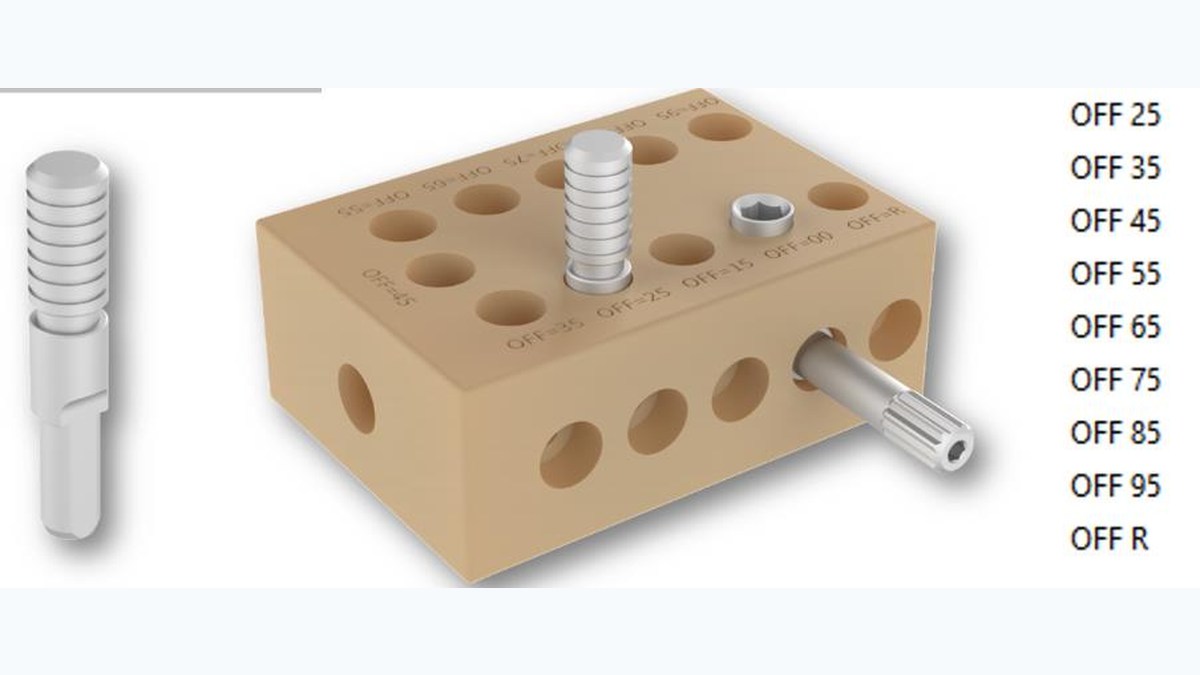
Screwdriver angle, off-axis systems and hexalobular screwsClinical & technical review of how changes in screwdriver angle affect an off-axis implant abutment system and hexalobular screw.
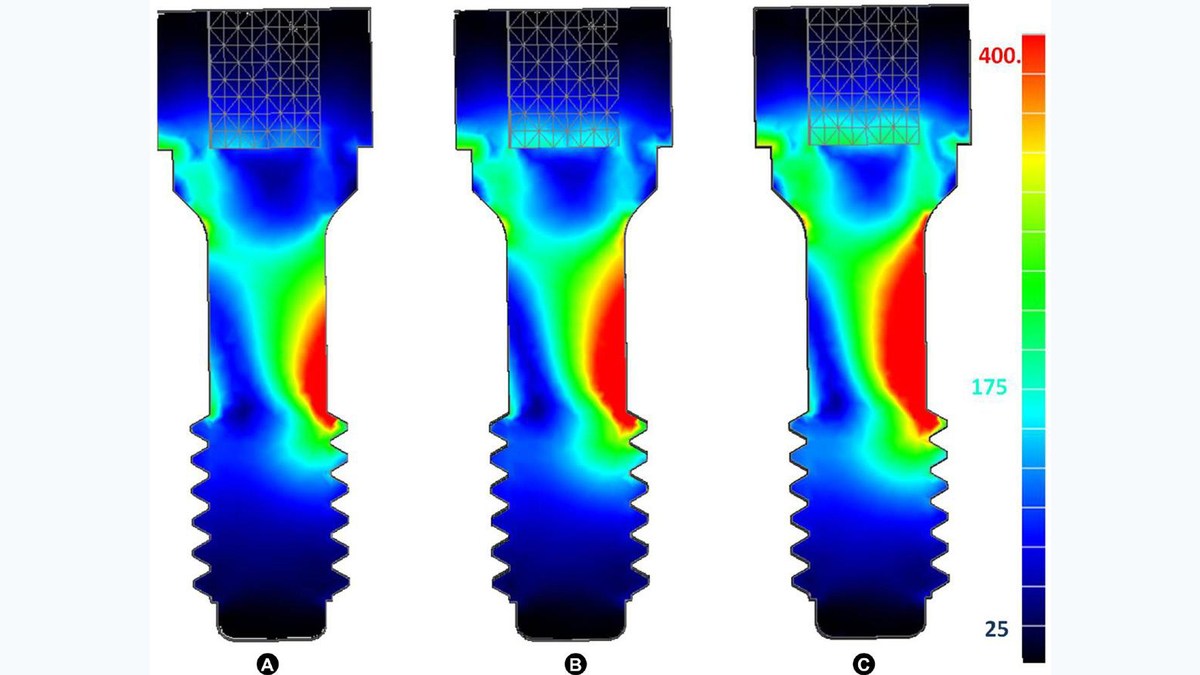
Implant contact surfaces and screw looseningClinical & technical review of an FEM study on how internal implant contact surfaces influence micromotion, preload and the risk of prosthetic-screw loosening.
ScanLogiQ® for digital full-arch workflowsScanLogiQ® for accurate digital full-arch scanning at Multi-Unit level: Scan Flag iQ, One Shot iQ, Reverse iQ, AssistLogiQ, four scans, STL validation, IOS guides and video.
AssistLogiQ® user guideAssistLogiQ guide for ScanLogiQ: Data Sets 1–3, four Scan Flag iQ scans, Check List and specific IOS setups for 3Shape, Sirona, DEXIS, iTero, Medit and Shining 3D.
IPD All-on-Four Scan TransfersIPD Scan Transfers for All-on-Four and All-on-Six, full-arch protocols, data validation and integration with ScanLogiQ.
Implant-supported full-arch restorations: error reductionHow to identify and reduce errors in a full-arch workflow, from intraoral scanning through CAD and manufacturing to physical verification of passive fit.
Tightening screws in implant prostheticsClinical & technical review of correct prosthetic-screw tightening: torque, preload, retorque, cyclic loading, elastic phase and prevention of screw loosening.
Fixation-screw head geometry and Ti-basesSpherical, conical and flat fixation-screw heads: load distribution, manufacturing tolerances, zirconia, PMMA and the role of the Ti-base metal interface.
Screwdriver angle, off-axis systems and hexalobular screwsClinical & technical review of how changes in screwdriver angle affect an off-axis implant abutment system and hexalobular screw.
Implant contact surfaces and screw looseningClinical & technical review of an FEM study on how internal implant contact surfaces influence micromotion, preload and the risk of prosthetic-screw loosening.
ScanLogiQ® for digital full-arch workflowsScanLogiQ® for accurate digital full-arch scanning at Multi-Unit level: Scan Flag iQ, One Shot iQ, Reverse iQ, AssistLogiQ, four scans, STL validation, IOS guides and video.
AssistLogiQ® user guideAssistLogiQ guide for ScanLogiQ: Data Sets 1–3, four Scan Flag iQ scans, Check List and specific IOS setups for 3Shape, Sirona, DEXIS, iTero, Medit and Shining 3D.
IPD All-on-Four Scan TransfersIPD Scan Transfers for All-on-Four and All-on-Six, full-arch protocols, data validation and integration with ScanLogiQ.
Implant-supported full-arch restorations: error reductionHow to identify and reduce errors in a full-arch workflow, from intraoral scanning through CAD and manufacturing to physical verification of passive fit.
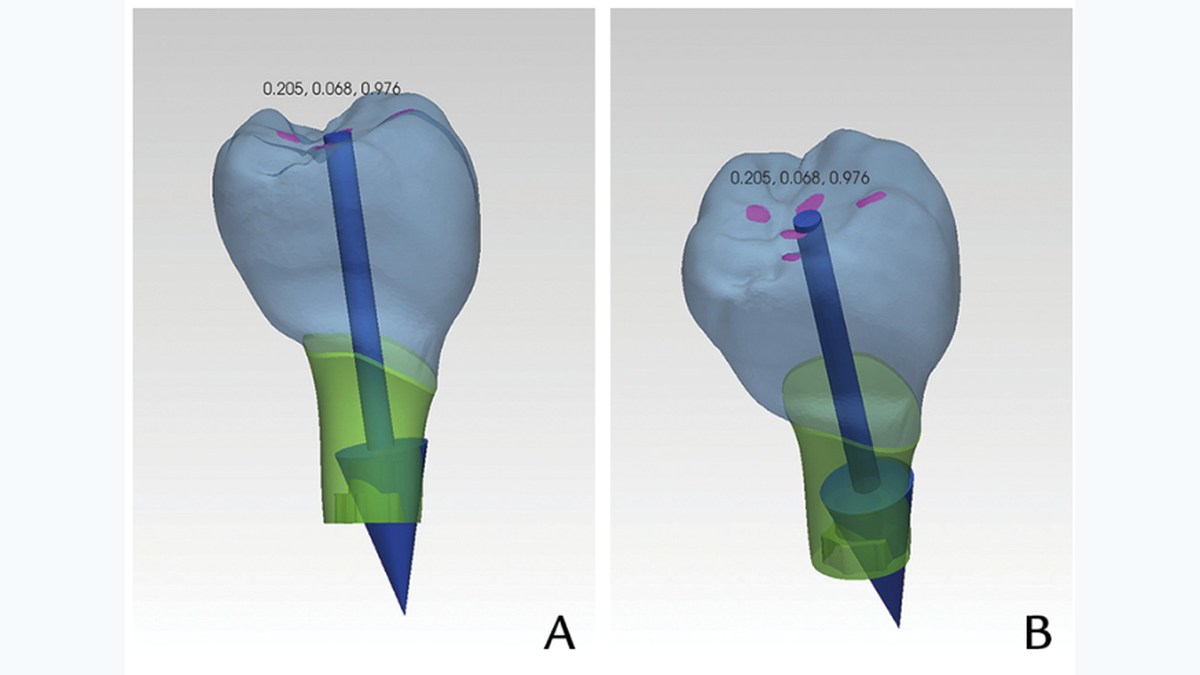 Vector analysis and FEM in implant-prosthetic designClinical & technical abstract on the use of vector analysis and FEM for implant-prosthetic design, occlusion, force direction and structural stability.
IPD clinical & technical libraryLibrary of 27 IPD clinical & technical articles on full-arch scanning, implant-position transfer, Ti-bases, titanium, screws, 3D printing, surfaces and validation.
The importance of accuracy in implant prostheticsClinical & technical review of the IPD article on accuracy in implant prosthetics: planning, scanning, CAD/CAM design, 3D printing, passive fit, occlusion and long-term stability.
Vector analysis and FEM in implant-prosthetic designClinical & technical abstract on the use of vector analysis and FEM for implant-prosthetic design, occlusion, force direction and structural stability.
IPD clinical & technical libraryLibrary of 27 IPD clinical & technical articles on full-arch scanning, implant-position transfer, Ti-bases, titanium, screws, 3D printing, surfaces and validation.
The importance of accuracy in implant prostheticsClinical & technical review of the IPD article on accuracy in implant prosthetics: planning, scanning, CAD/CAM design, 3D printing, passive fit, occlusion and long-term stability.
 Accuracy of CAD/CAM restorations and deviation controlClinical & technical review of the IPD white paper on CAD/CAM implant-prosthetic accuracy, scanning, digital models, libraries and validation of 3D printing.
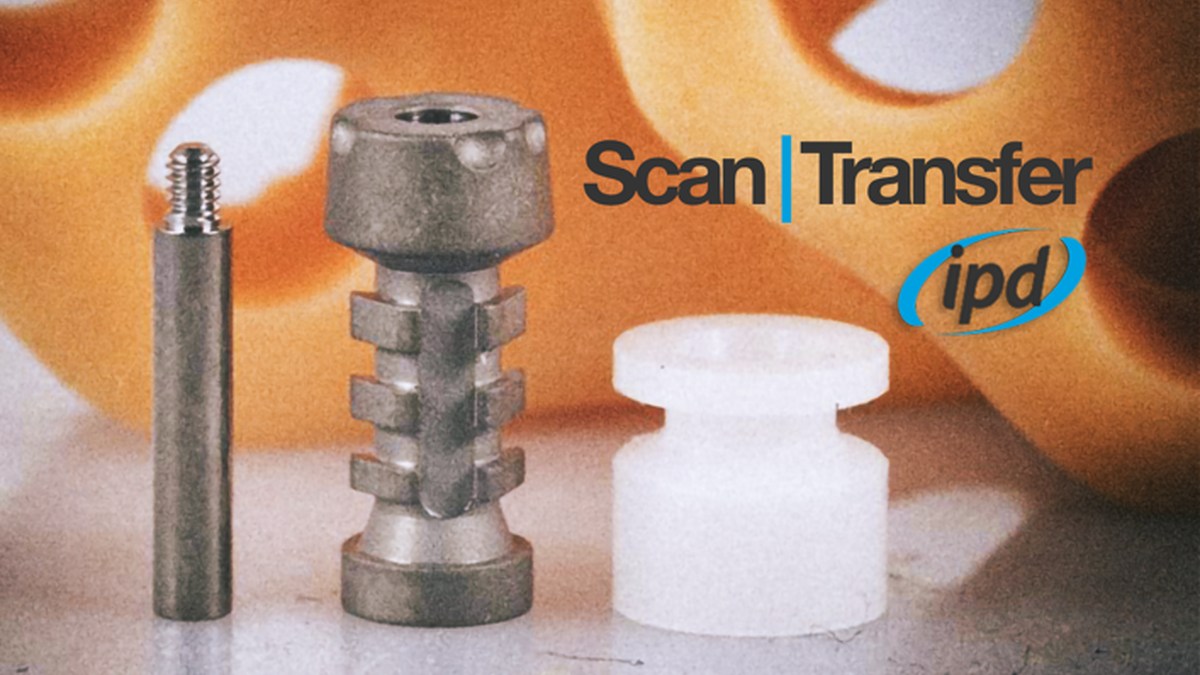 Reducing uncertainty in the digital dental workflowClinical & technical review of reducing uncertainty across the digital dental workflow: scanning, libraries, CAD/CAM, 3D printing, validation and fit verification.
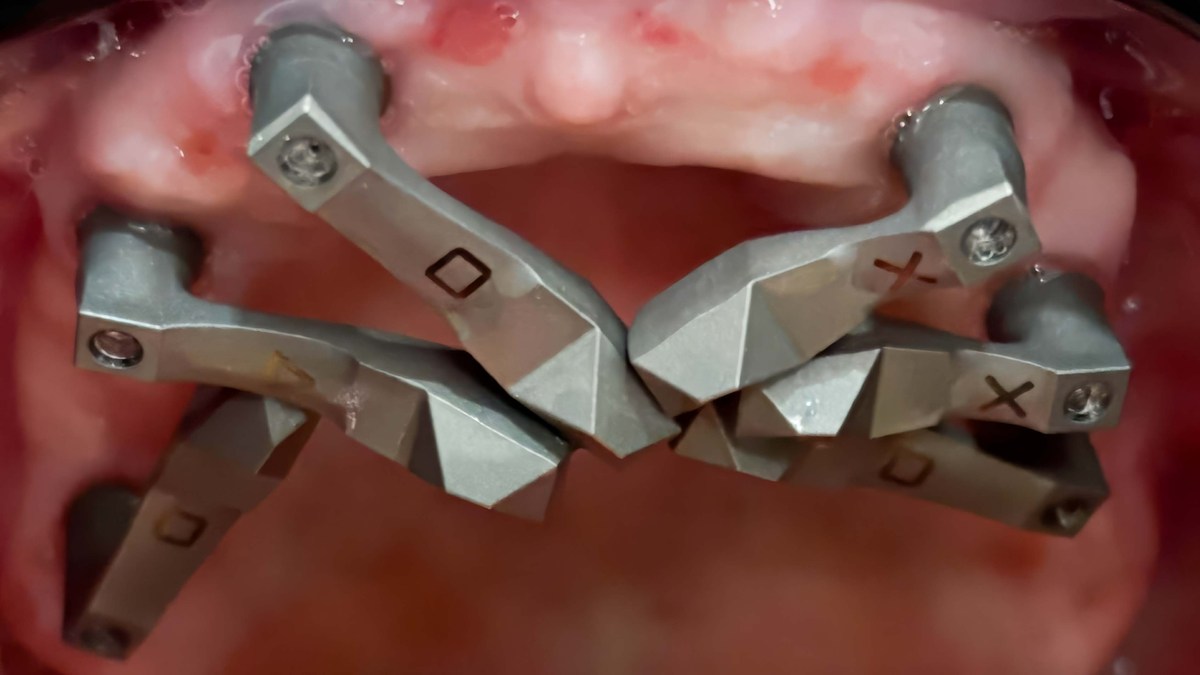 Digital data highway: validation from scanning to manufacturingTechnical review of a new article on full-arch drift, ScanLogiQ, metrological validation and verification of the physical output.
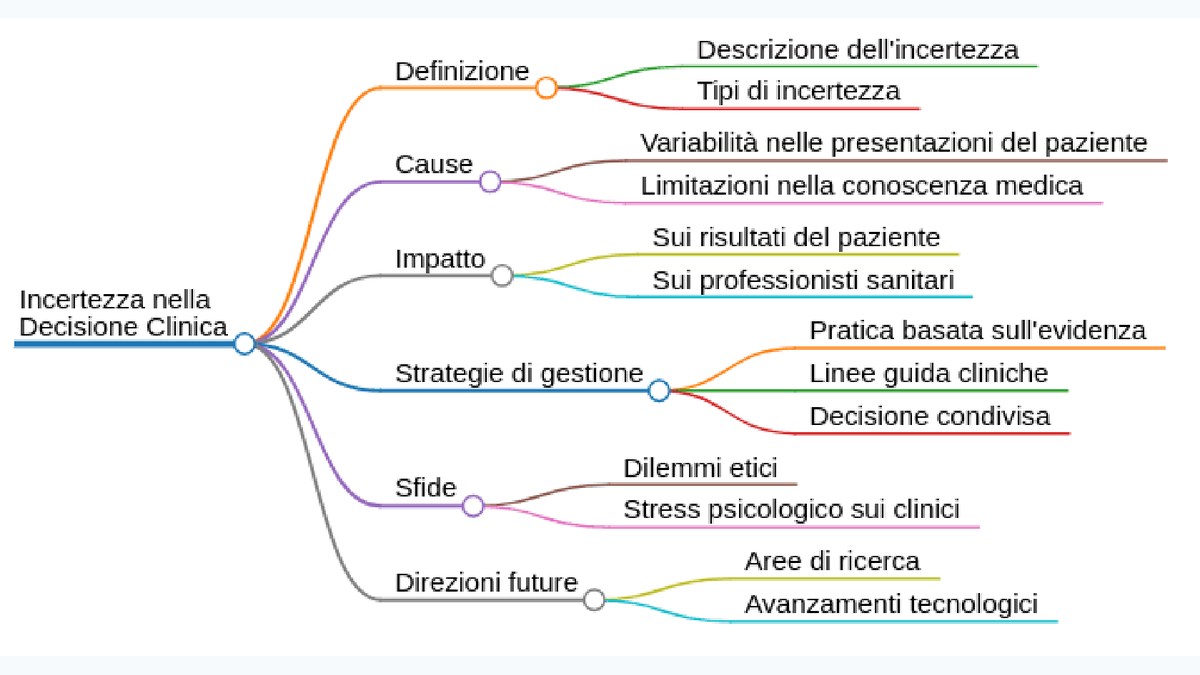 Uncertainty in clinical decision-making and the role of protocolClinical & technical abstract on uncertainty in clinical decision-making and the importance of protocol, validation and standardisation in implant-prosthetic workflows.
Ti-base gingival height and abutment biomechanicsClinical & technical review of an FEM study on how titanium-base gingival height affects the biomechanical behaviour of two-piece custom implant abutments.
Ti6Al4V titanium in dental CAD/CAM millingTitanium and Ti6Al4V in dental CAD/CAM: alloy properties, machining, cooling, tooling, surface integrity and mechanisms of fatigue damage.
TiN coating of implant abutmentsClinical & technical review of TiN coating on implant abutments: technical aspects, soft-tissue biocompatibility and clinical applications.
TiN and anodically oxidised titanium, fibroblasts and Streptococcus gordoniiClinical & technical abstract of a laboratory study on nitrided and anodically oxidised titanium, fibroblast proliferation and Streptococcus gordonii adhesion compared with uncoated titanium.
Zirconium nitride coating on titanium abutmentsClinical & technical abstract of a study on the biocompatibility and antibacterial properties of zirconium nitride coating on titanium abutments.
Uncertainty in clinical decision-making and the role of protocolClinical & technical abstract on uncertainty in clinical decision-making and the importance of protocol, validation and standardisation in implant-prosthetic workflows.
Ti-base gingival height and abutment biomechanicsClinical & technical review of an FEM study on how titanium-base gingival height affects the biomechanical behaviour of two-piece custom implant abutments.
Ti6Al4V titanium in dental CAD/CAM millingTitanium and Ti6Al4V in dental CAD/CAM: alloy properties, machining, cooling, tooling, surface integrity and mechanisms of fatigue damage.
TiN coating of implant abutmentsClinical & technical review of TiN coating on implant abutments: technical aspects, soft-tissue biocompatibility and clinical applications.
TiN and anodically oxidised titanium, fibroblasts and Streptococcus gordoniiClinical & technical abstract of a laboratory study on nitrided and anodically oxidised titanium, fibroblast proliferation and Streptococcus gordonii adhesion compared with uncoated titanium.
Zirconium nitride coating on titanium abutmentsClinical & technical abstract of a study on the biocompatibility and antibacterial properties of zirconium nitride coating on titanium abutments.
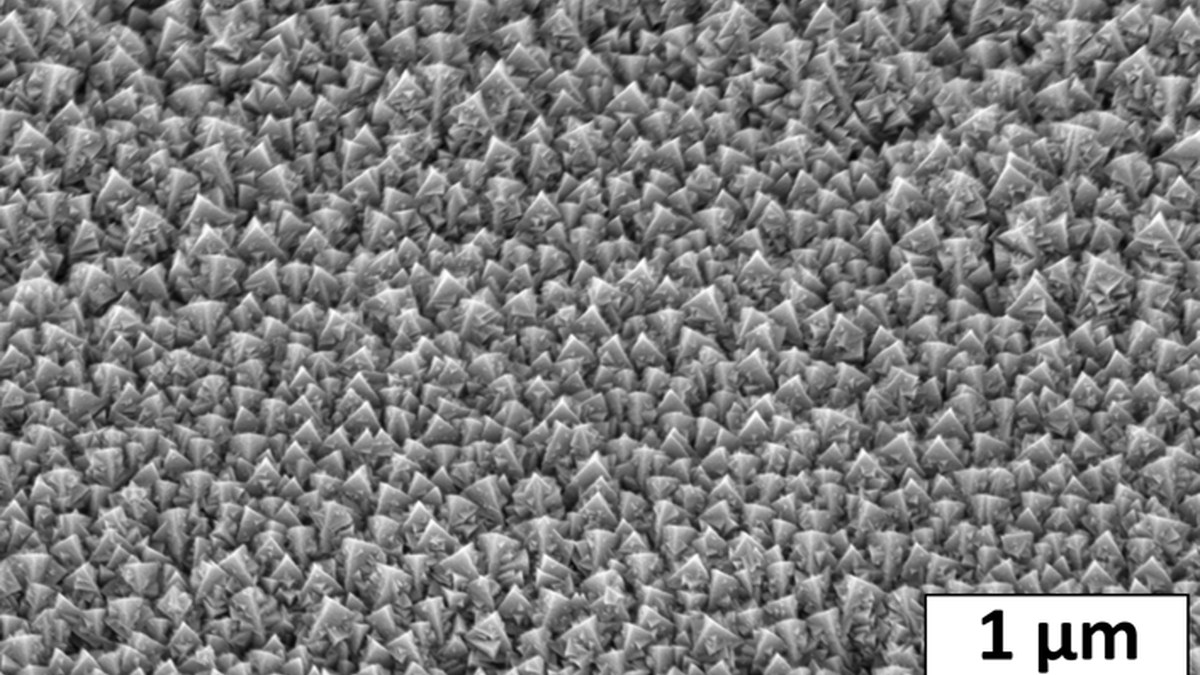 TiO₂ anatase and titanium-surface propertiesClinical & technical review of a technical article on TiO₂ anatase, titanium surfaces, material properties and cautious interpretation of laboratory findings.
Implant restoration in a fully digital chairside workflowClinical & technical abstract of a case report on implant restoration in a fully digital additive chairside workflow from scanning to 3D printing and the prosthetic outcome.
TiO₂ anatase and titanium-surface propertiesClinical & technical review of a technical article on TiO₂ anatase, titanium surfaces, material properties and cautious interpretation of laboratory findings.
Implant restoration in a fully digital chairside workflowClinical & technical abstract of a case report on implant restoration in a fully digital additive chairside workflow from scanning to 3D printing and the prosthetic outcome.
Product and workflow pages answer the question “how to proceed”. The clinical & technical library adds a second layer: scan accuracy, mesh-to-library matching, biomechanics of the screw joint, TiN and other surfaces, FEM, 3D printing and uncertainty management across the digital chain.
Send us a few basic details. The more precisely we identify the implant and intended workflow, the faster we can determine the compatible component, library or instrument.
Implantbrand, system, series, platform
What do you want to fabricate?crown, bridge, full-arch, overdenture…
Digital environmentExocad / 3Shape / IOS / CAD library
What you already havereference, component photo, screenshot or STL context
Start with “Shop by implant brand” or the catalogue. Correct identification of the implant manufacturer, system and platform is essential. Only then does it make sense to select a scan body, analog, Ti-base, MUA, screw or instrument.
The difference is not just the library name. The selection must match the scan body used and the intended prosthetic component. Open the IPD Software Libraries page, where the TECH/LITE relationship is explained in workflow context.
The screwdriver engagement profile depends on the implant platform and fixation screw used. Start with the Screwdrivers, RA adapters and torque ratchet overview, then use the IPD fixation-screw tightening-torque table.
A conventional analog replicates the implant in a traditional stone working model. A digital analog is designed for insertion into a 3D-printed model and is linked to the CAD library, printing process and validation of the physical position.
Start with the Multi-Unit interface and the ScanLogiQ® page. For the data protocol itself, continue to AssistLogiQ and, if scan accuracy is in question, to the articles on CSS, ReScan, DeBug and reduction of accumulated full-arch errors.
Do not infer compatibility from visual similarity of components. Send technical support the implant identification, platform, type of restoration and, where useful, a photograph, reference or software screenshot.
New from IPD USA
We did not translate the original US materials mechanically. We adapted them to a technical context, added related pages and separated practically useful principles from marketing language.
Instead of linking only to a foreign-language PDF, each case now has its own editorial page with the original source and visual material.
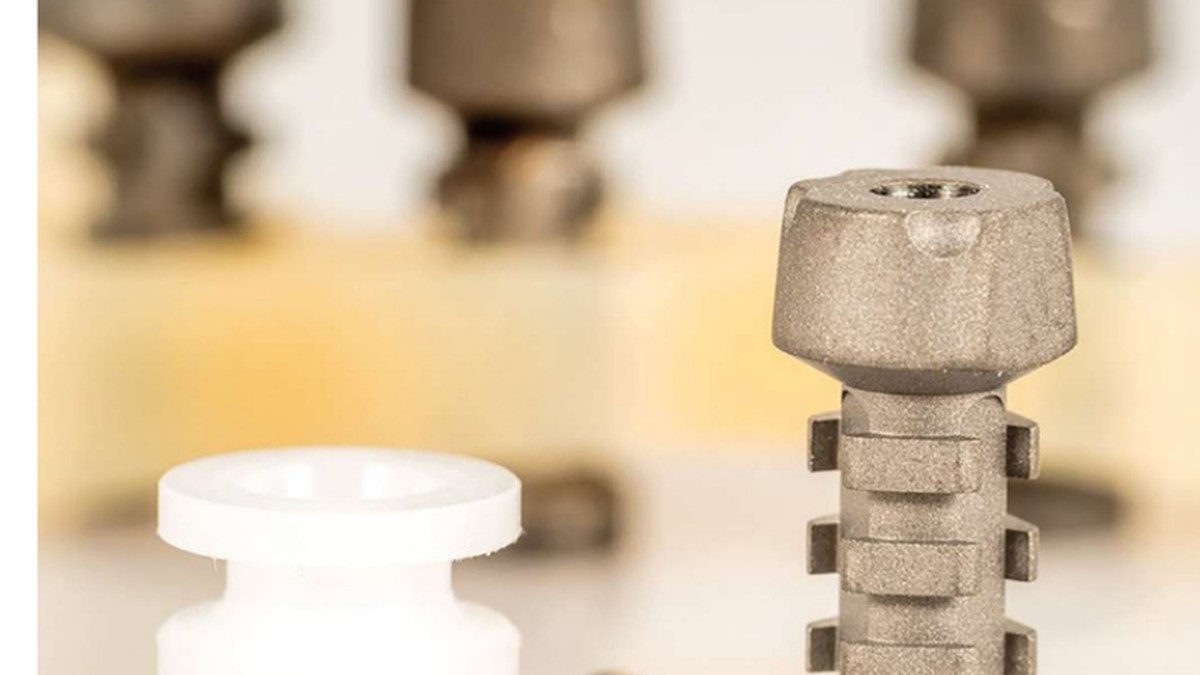 Scan Transfer: clinical case with CSS + De|Bug
Five implants, a rigid PMMA reference, CSS Strategy and laboratory De|Bug verification.
Source: Polito & Palladino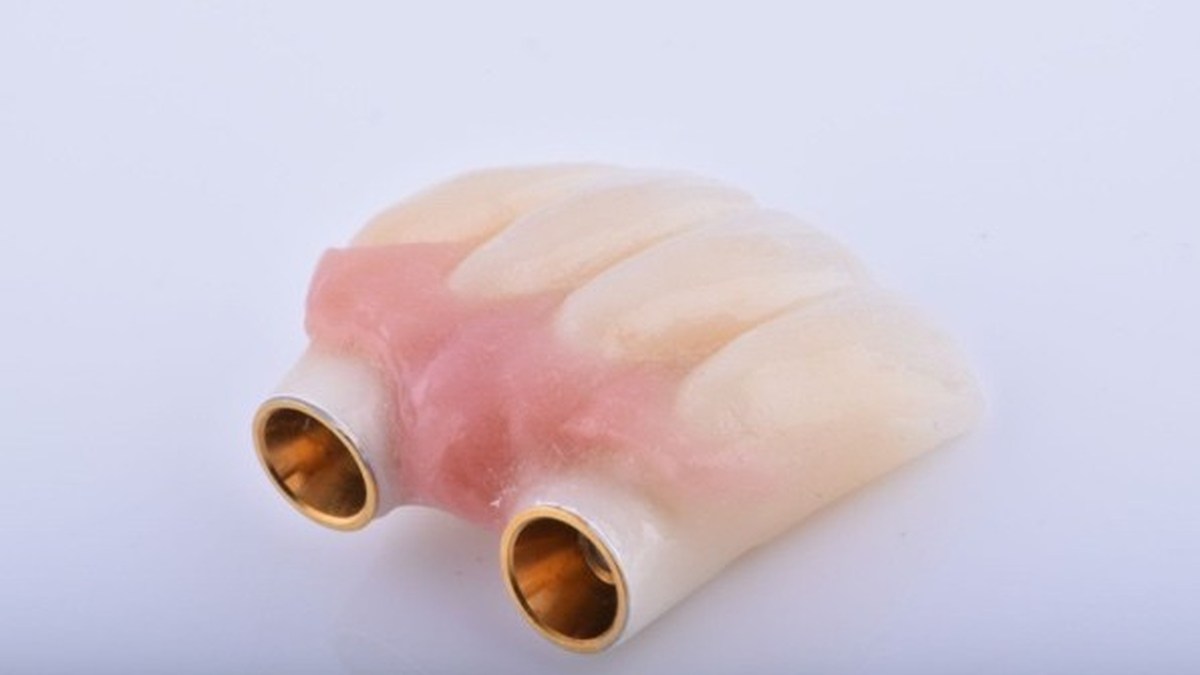 Scan bodies, libraries and prosthetic options
Practical explanation of digital continuity from a clinical-workflow perspective.
Source: Recena & Arjona Vázquez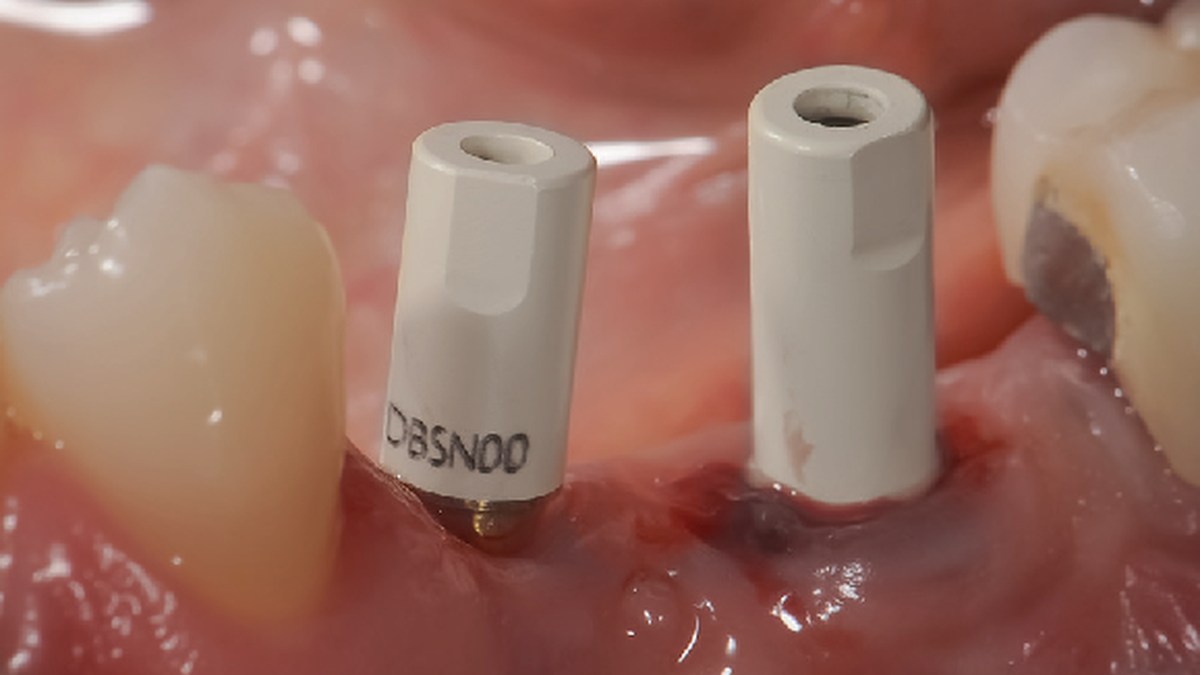 Different implant connections in one case
Zimmer TSV + Straumann Bone Level, 3Shape, angulation and a printed model.
Source: Alessio Marsili, MDT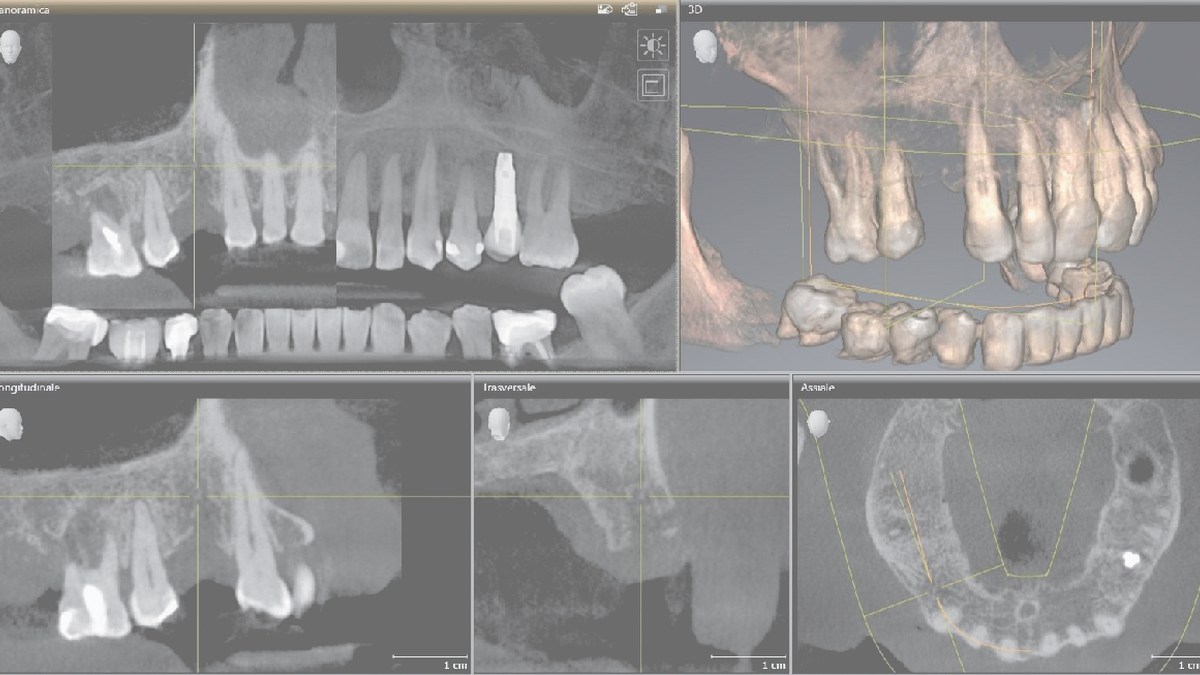 Implant prosthodontics from CBCT to the crown
Everyday full-digital workflow for a single implant.
Source: Antonino Cacioppo, DDS, MS, PhDNew interactive guide
This practical page connects clinical steps, data verification, ScanLogiQ/AssistLogiQ and passive-fit verification in extensive implant cases.

I am a dental professional within the meaning of Section 2a of Czech Act No. 40/1995 Coll., on advertising regulation. I confirm that I am authorised to access content intended for professionals.