
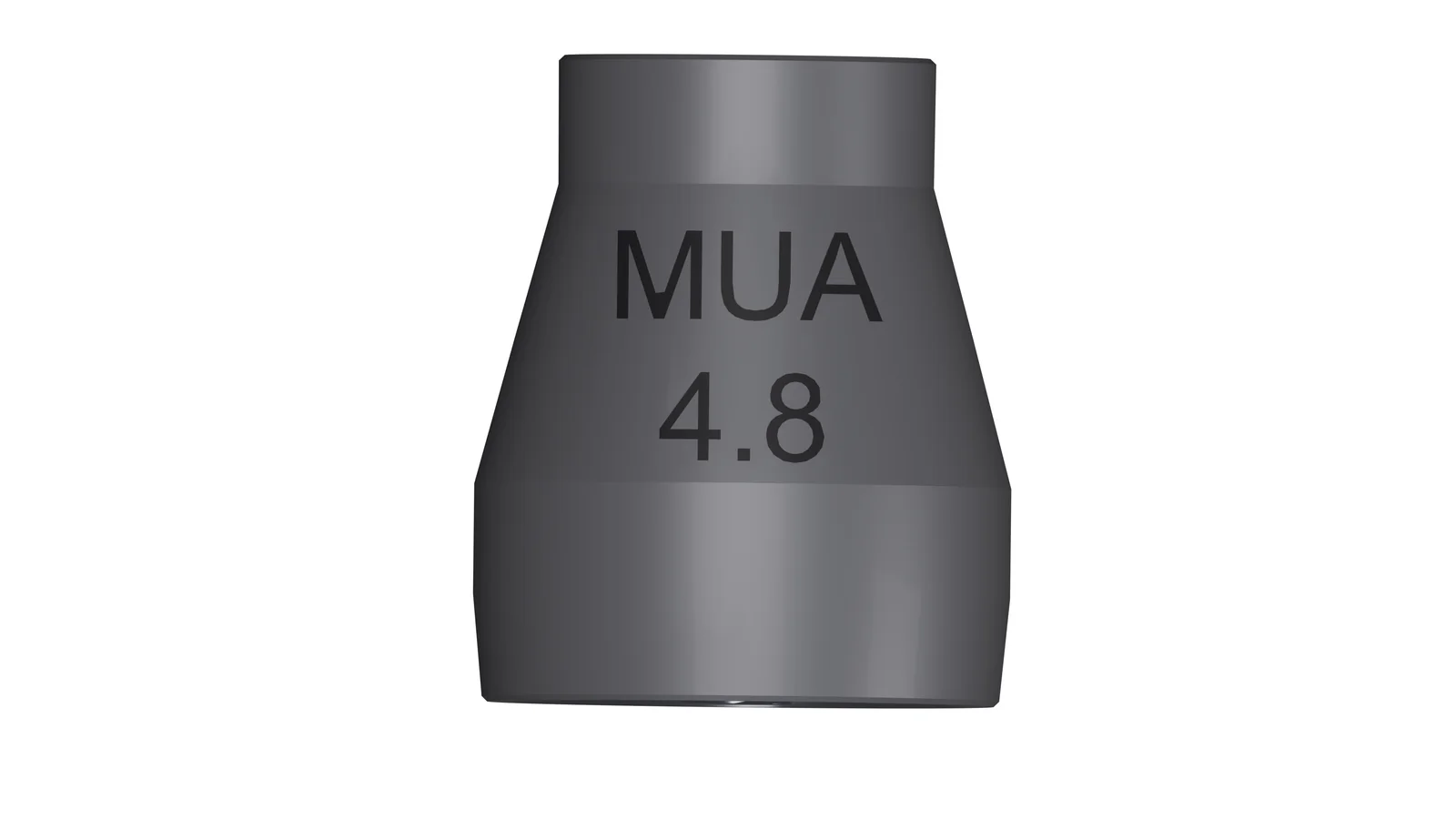
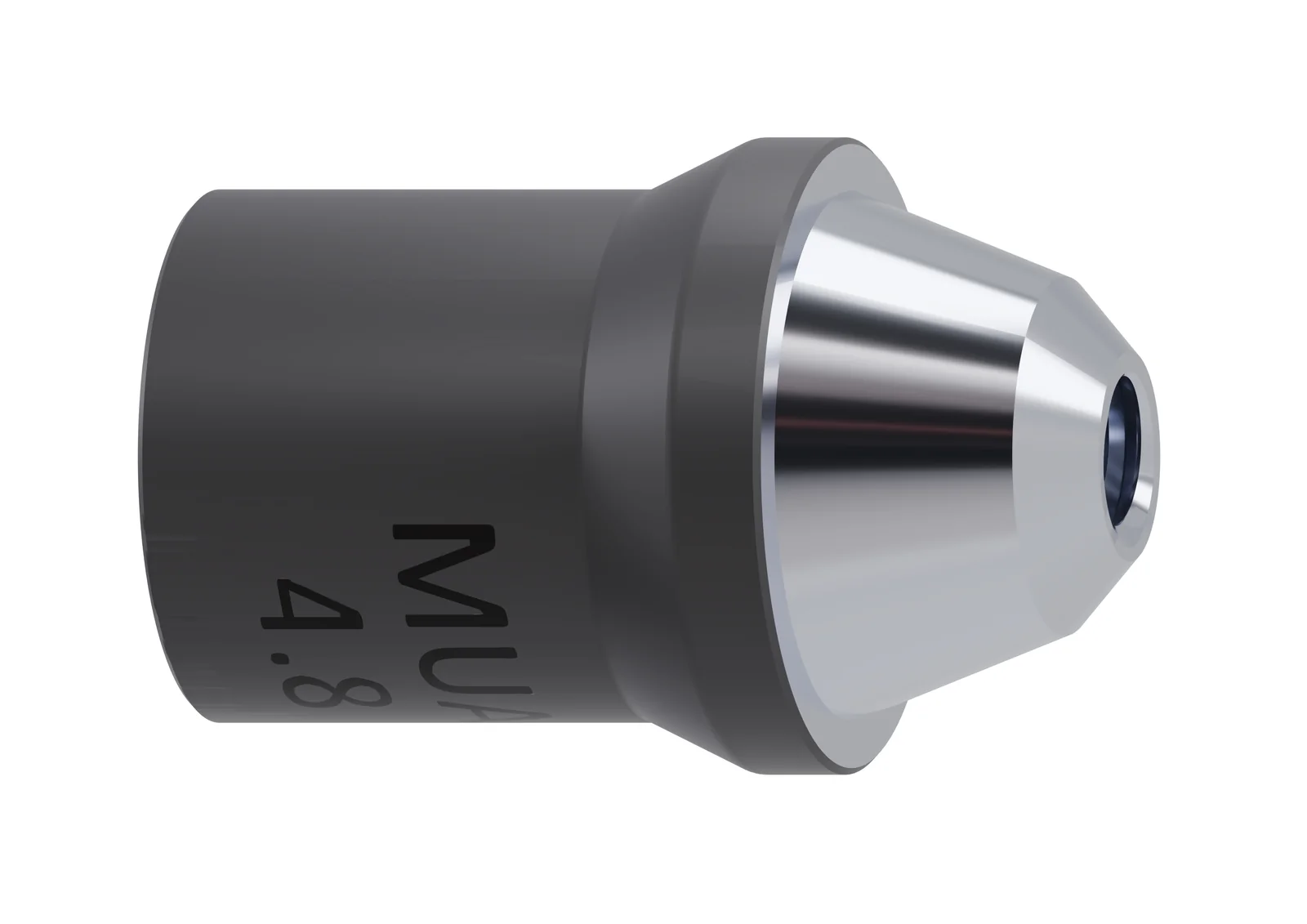
Compatible MUA / MUA AP
After the implant surgical phase, a supported screw-retained abutment is placed. ScanLogiQ then works at abutment level; the specific platform and kit must be verified.
IPD · e-dent digital
ScanLogiQ is not a metrology device. It is a system for validating consistency across intraoral full-arch scans on Multi-Unit abutments, helping to identify inconsistent data before they result in a remake or a non-passive restoration.
Start with the complete clinical data chain. Then move on to the detailed AssistLogiQ operating guide.
Workflow → system details → user guide
From a “good-looking STL” to a verified spatial reference. The lecture connects stitching drift, 4× Scan Flag iQ, the Data Set 1–3 hierarchy, AssistLogiQ and 6DoF with a practical question: where does digital validation end, and where do CAD/CAM manufacturing and clinical passive-fit verification take over?
Matouš Záhorec, a professional educator with extensive experience in CAD/CAM technologies and implant prosthodontics, and Mgr. Miroslav Diviš / IPD will bring this online learning material into a live technical discussion.
Clinic → AssistLogiQ → laboratory
One continuous map shows where scanning ends and CAD/CAM begins. ScanLogiQ is more than a set of scan bodies: the clinical stage produces validated and aligned data that continue through the corresponding SLiQ CAD files into the selected prosthetic solution.
In very simple terms
* Only a compatible abutment platform for the relevant ScanLogiQ kit. ** Reverse iQ is optional depending on the presence of a provisional restoration / prototype / try-in.
After the implant surgical phase, a supported screw-retained abutment is placed. ScanLogiQ then works at abutment level; the specific platform and kit must be verified.
A case is created and the appropriate workflow selected. The platform guides the clinician through the individual data steps.
Scan of the soft tissues and reference situation. AssistLogiQ uses the data to help determine the appropriate Scan Flag iQ arrangement.
Four separate scans of the implant positions are acquired through the supported MUA platform. Scan Flag iQ creates a controlled Scan Region.
1–2/4: DRAFT for passive-fit verification / test framework. 3/4: reliable data for definitive design. 4/4: high-accuracy, reliable data.
Transfers information from a provisional restoration, prototype or try-in; an antagonist scan and bite registration can also be added. This is not a second round of 3/4 Scan Flag iQ validation.
AssistLogiQ closes the case by exporting the result files. The output includes aligned meshes / the ScanLogiQ Final result, ready for downstream digital processing.
The ScanLogiQ result includes an SLiQ alignment mesh linked to the corresponding IPD CAD files. The laboratory works with the current library version for its CAD software.
Supported options include Direct-to-MUA, including Zr/PMMA, or workflows on IPD Ti-bases. With Ti-bases, either a straight screw channel or ASC can be selected.
With the Ti-base option, a zirconia full-arch restoration is designed and manufactured, then bonded to the Ti-bases according to the component IFU and the instructions for the bonding system used.
Before definitive tightening, clinically verify complete seating and passive fit. For DRAFT data, the manufacturer expressly recommends using the output only for passive-fit testing with ImplantCheck / a test framework, not for the definitive restoration.
Do not confuse
Scan Flag iQ = validation of the geometric consistency of MUA positions
The four scans in Data Set 2 are evaluated against one another by AssistLogiQ.
Reverse iQ = registration and transfer of a provisional / prototype restoration
Transfers information from a provisional / try-in / prototype workflow into the case and can add the antagonist and bite registration.
Why ScanLogiQ
Practical benefits for both clinic and laboratory: less uncertainty, greater predictability and a safer workflow.
No vendor lock-in. ScanLogiQ validates data independently of the scanner brand.
The system identifies inconsistencies before they turn into an expensive remake or a non-passive restoration.
The workflow is designed to support a predictable outcome in implant-supported full-arch cases.
Outputs are prepared for digital processing in commonly used CAD environments, without changing your existing software stack.
Standardises the workflow and helps shorten the path to validated data for the laboratory.
Data Sets 1–3 build a consistent digital representation of the case and provide quality checks at critical stages.
Core values
Three pillars underpin the ScanLogiQ concept: a straightforward workflow, safer decision-making and greater efficiency.
Full-arch reality
Errors can accumulate across a long arch. ScanLogiQ is designed to reduce these disruptive factors through structured Data Sets and a targeted scanning strategy.
The longer the arch, the greater the risk of stitching errors and local deformation of the digital impression.
An edentulous arch and large gaps between scan bodies reduce registration stability and increase the risk of drift.
Interference and mobile structures can degrade mesh quality, particularly in distal regions.
Scanning “everything” often means more opportunities for error. Targeted acquisition of a defined region is more efficient.
Scan Flag iQ deliberately concentrates data acquisition in a controlled Scan Region in the central and anterior area, where scanning is naturally more stable for most scanners. AssistLogiQ then checks consistency across the Data Sets and prompts a repeat when inconsistency is detected.
ScanLogiQ is designed to work with any intraoral scanner and to produce outputs suitable for mainstream CAD processes. The result is a validated digital foundation for full-arch work on Multi-Unit abutments.
Clinical objective
Passive fit is critical in full-arch restorations. ScanLogiQ aims to minimise the risk that inconsistent data will lead to a non-passive restoration.
Greater treatment predictability and a lower risk of complications associated with strain in the restoration.
Lower remake risk. Validated data provide a better input for CAD design and subsequent manufacturing.
A more stable outcome, easier adaptation and greater long-term comfort with the restoration.
AssistLogiQ checks consistency across the Data Sets and identifies a potential problem before it is carried into the CAD design. This provides greater confidence that the digital impression reflects the clinical situation in critical areas.
Note: ScanLogiQ is neither a metrology instrument nor a photogrammetry system. It validates the consistency of digital data within a defined workflow.
Principle
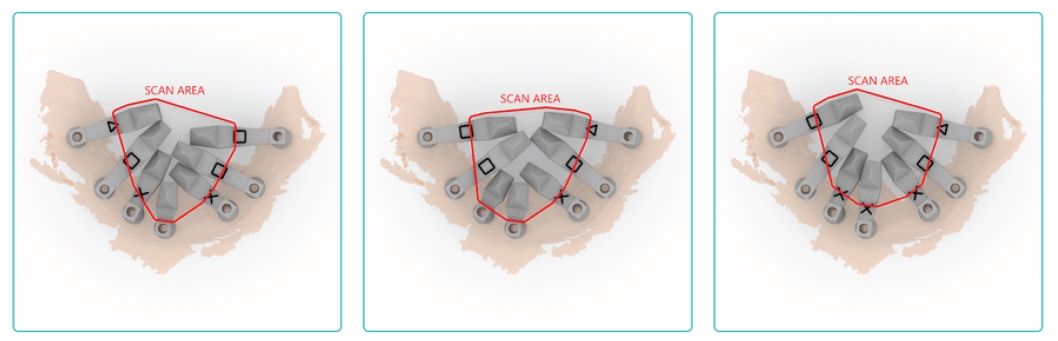
Instead of scanning large areas, the system targets a compact “Scan Region”, reducing the risk of drift and stitching errors.
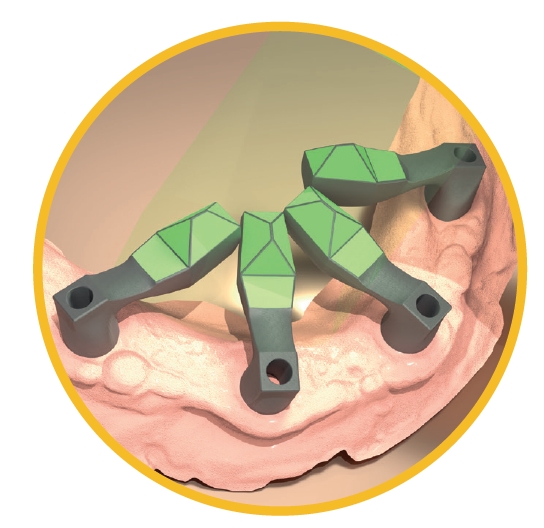
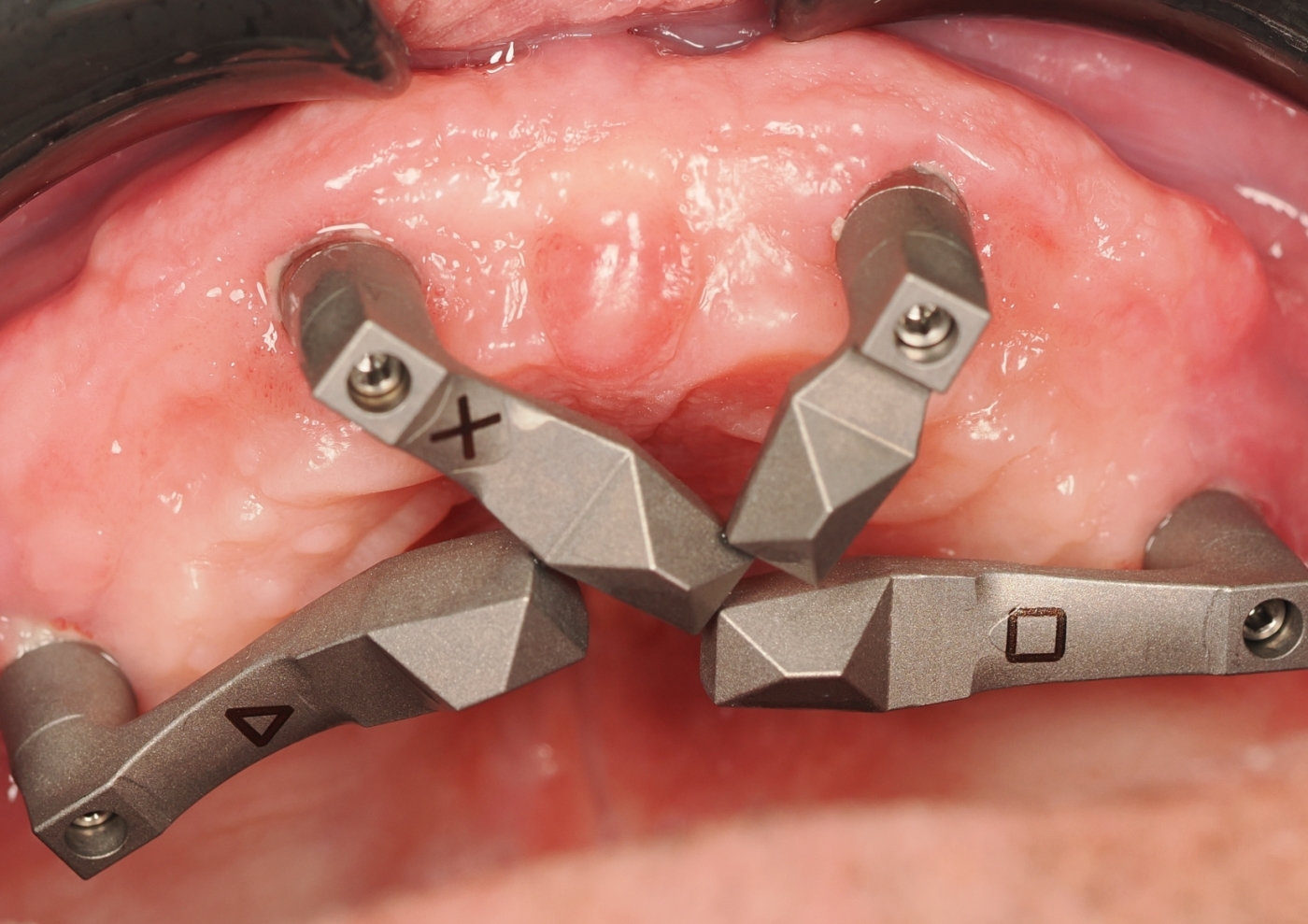
Scan Flag iQ configuration for an All-on-X indication
The flag geometry directs data acquisition towards the central and anterior region, which is more accessible and stable for most scanners.
The shorter and more clearly defined the scan segment, the lower the risk of progressive deformation of the digital impression.
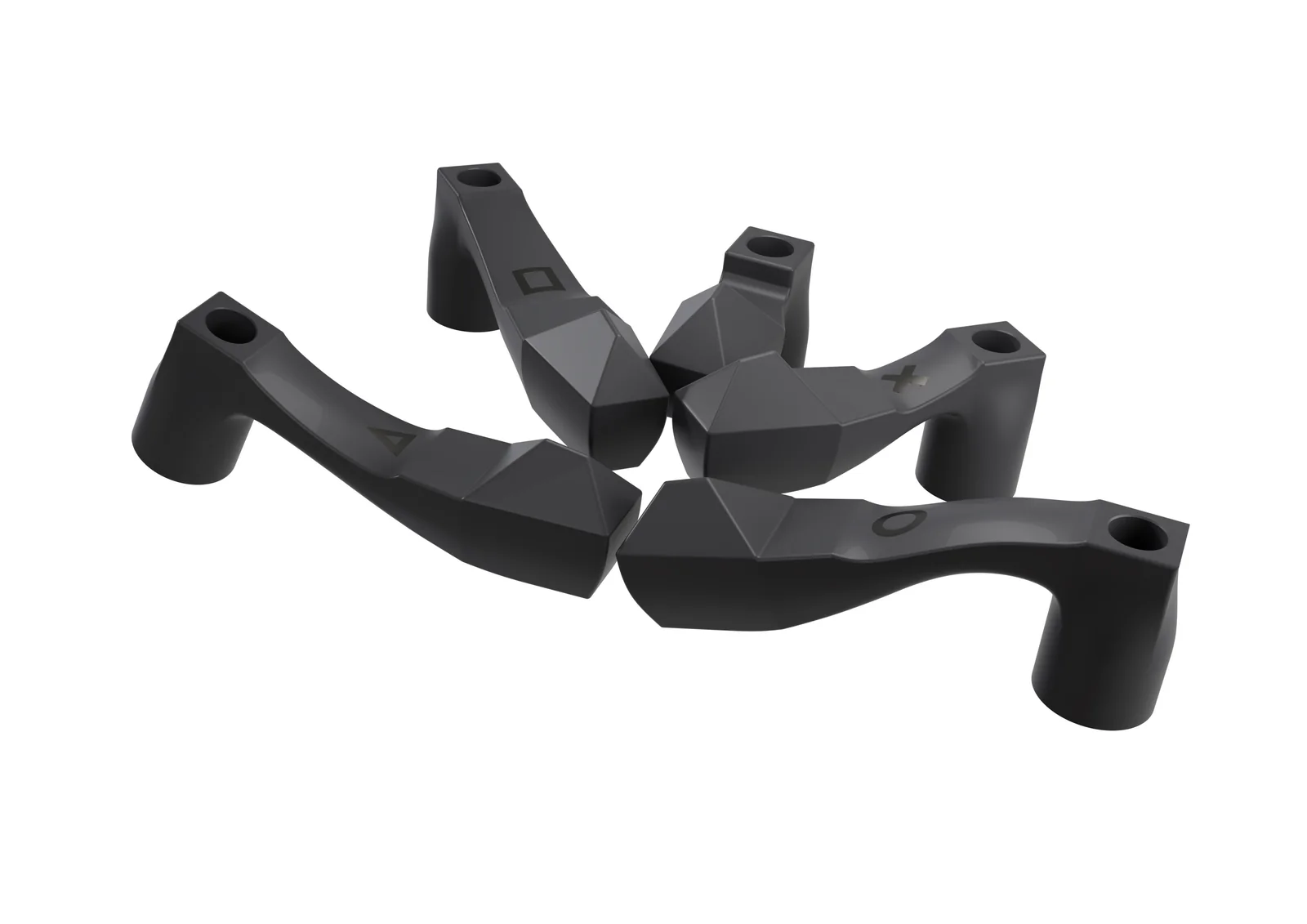
Different shapes allow adaptation to the clinical situation, including distally angulated implants in All-on-X cases.
If the data are inconsistent, the system detects this and recommends corrective steps to prevent the error from being carried into CAD.
Workflow
The system uses sequential data acquisition. Data Sets 1–3 capture the clinical situation, and Data Set 4 closes the workflow by exporting validated results for CAD/CAM.
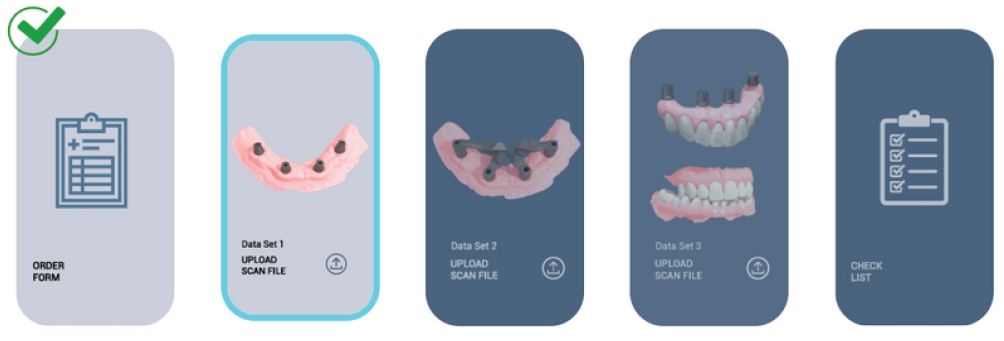
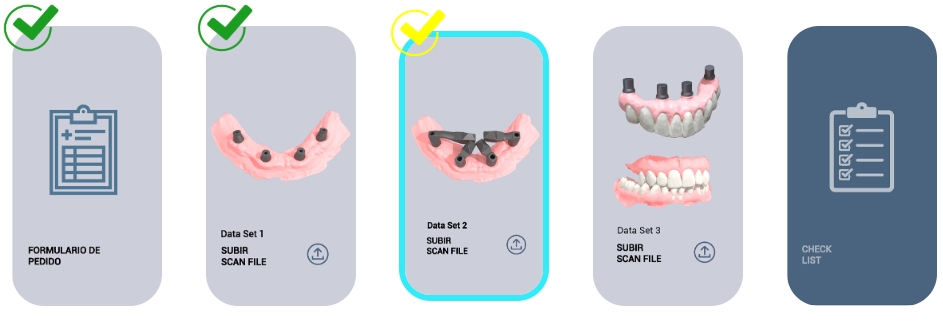
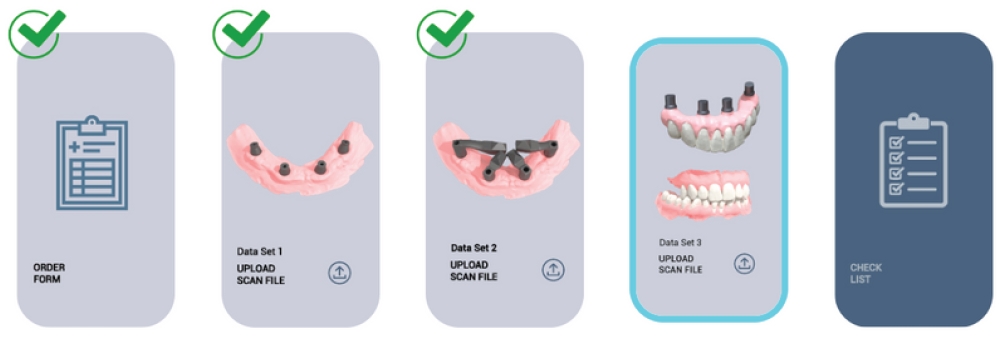
Data Set 4
Export validated outcome files / aligned meshes for CAD/CAM.
Procedure
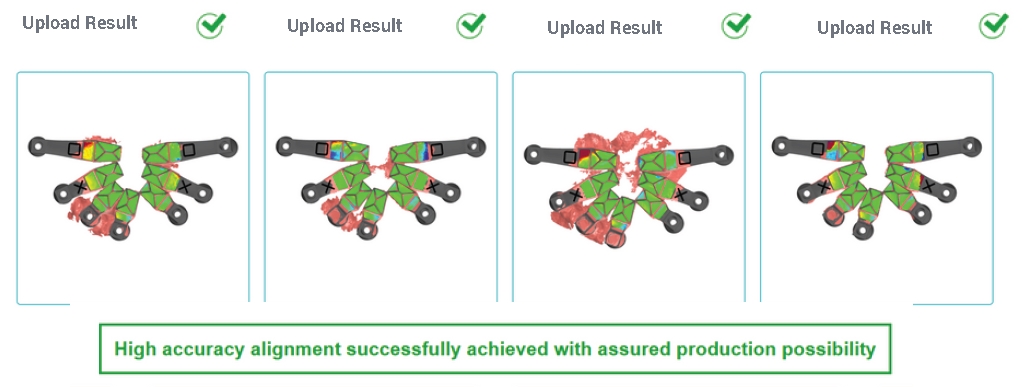
Below is a condensed, operator-friendly procedure based on the internal protocol, supported by reference images and an overview of the most common Data Set upload errors.
Video (reference demonstration): An internal demonstration of the protocol, including calibration and the Data Set workflow, is available here:
Open video (SharePoint)Note: This link is intended for internal training and reference purposes.
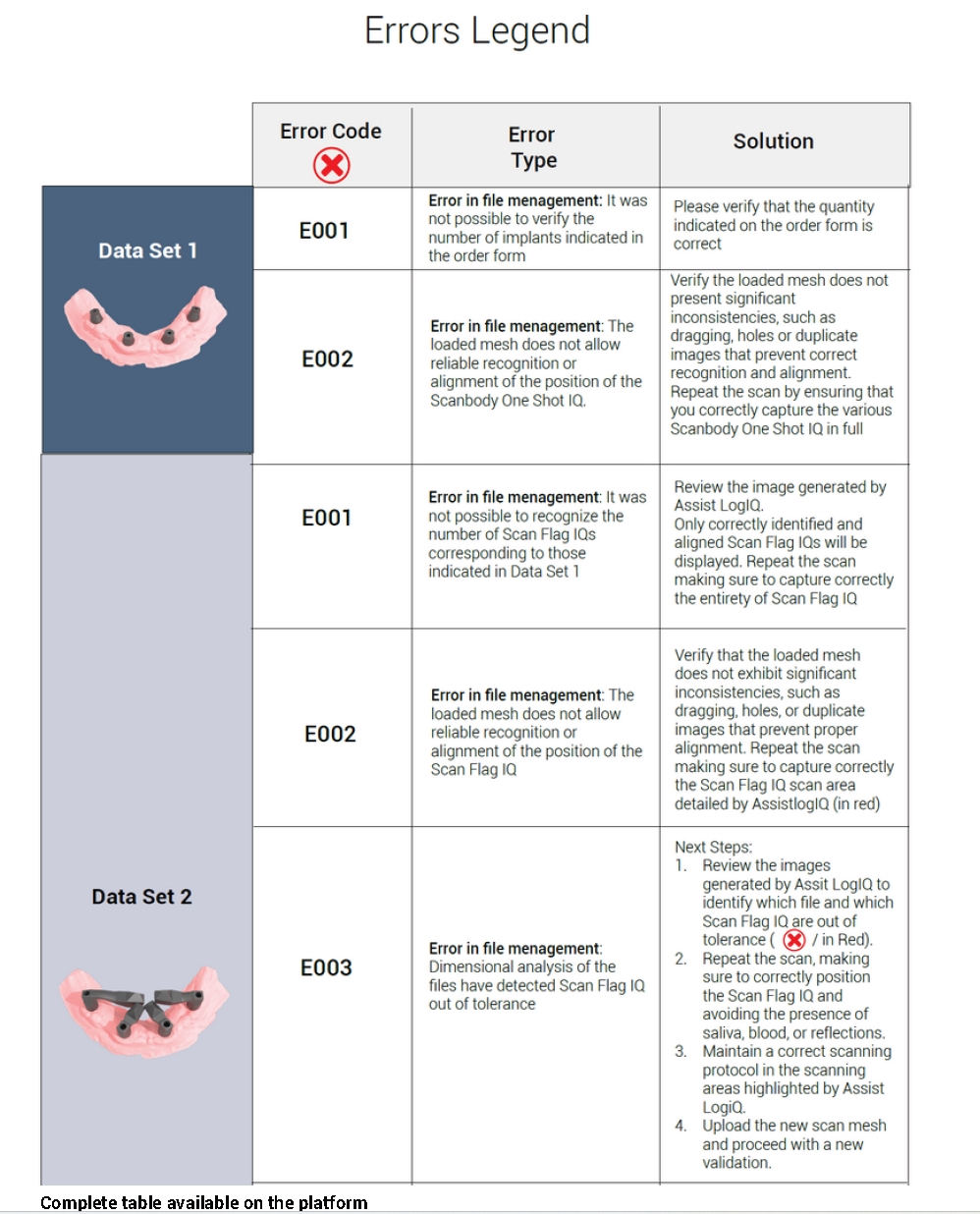
Troubleshooting
An English rendering of the error table for rapid “what should I correct?” decisions, without making technical accuracy claims. The result always depends on IOS data quality and adherence to the recommended procedure.
| Data Set | Code | Error type | Recommended action |
|---|---|---|---|
| Data Set 1 | E001 | File-management error: the number of implants stated in the order form cannot be verified. | Check that the number of implants in the order form matches the actual clinical situation and the uploaded data. |
| Data Set 1 | E002 | File-management error: the uploaded mesh data do not allow reliable recognition or alignment of the One Shot iQ position. | Check the mesh for substantial inconsistencies such as stretching, holes or duplicate surfaces. Repeat the scan and make sure One Shot iQ is captured completely. |
| Data Set 2 | E001 | File-management error: the number of Scan Flag iQ components corresponding to the values in Data Set 1 cannot be recognised. | Review the image generated by AssistLogiQ. Only correctly identified and aligned Scan Flag iQ components are displayed. Repeat the scan and capture the complete Scan Flag iQ. |
| Data Set 2 | E002 | File-management error: the uploaded mesh data do not allow reliable recognition or alignment of the Scan Flag iQ position. | Check that the mesh does not show substantial inconsistencies such as stretching, holes or duplicate surfaces. Repeat the scan and follow the “Scan Region” highlighted by AssistLogiQ in red. |
| Data Set 2 | E003 | File-management error: dimensional analysis detected a Scan Flag iQ outside tolerance. |
1) Review the AssistLogiQ outputs and identify which file and which Scan Flag iQ is outside tolerance, marked with a red X. 2) Repeat the scan, check that Scan Flag iQ is fully seated, and minimise interfering factors such as saliva, blood and reflections. 3) Follow the scanning protocol in the regions highlighted by AssistLogiQ. 4) Upload the new Data Set and run a new validation. |
Component
ONE SHOT iQ is a scan body developed for full-arch and multi-implant restorations. Its optimised geometry and compact dimensions simplify the individual stages of intraoral scanning and help create a consistent input Data Set for subsequent validation in AssistLogiQ.
ONE SHOT iQ
The component is designed to support the core principles of intraoral scanning: a continuous scan path, a stable reference region and clear capture of key anatomical structures.
Optimised geometry
Designed for stable acquisition in the intraoral environment and consistent data output.
Scanning the component and soft tissues together
Allows the reference geometry and soft tissues to be captured simultaneously in a single step.
Smooth, straightforward protocol
Supports continuous scanning without unnecessary interruptions or repeated returns to previously scanned areas.
Dedicated library
A dedicated library is available for accurate integration into the digital workflow.
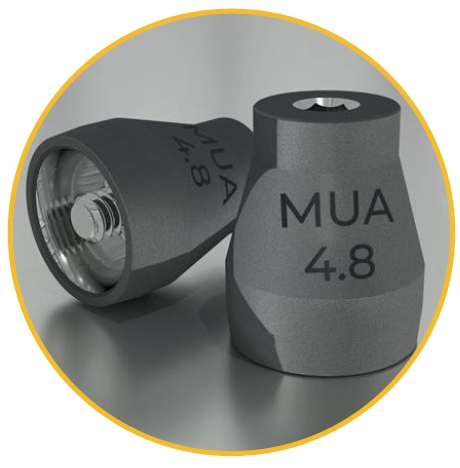
Illustrative image: ONE SHOT iQ in the context of soft-tissue acquisition (Data Set 1).
Reverse iQ
Reverse iQ enables straightforward extraoral registration of a provisional or existing restoration with an intraoral scanner and its controlled integration into the digital workflow.
The system is optimised to capture and correlate prosthetic and biomechanical information and uses a dedicated library for accurate digital processing.
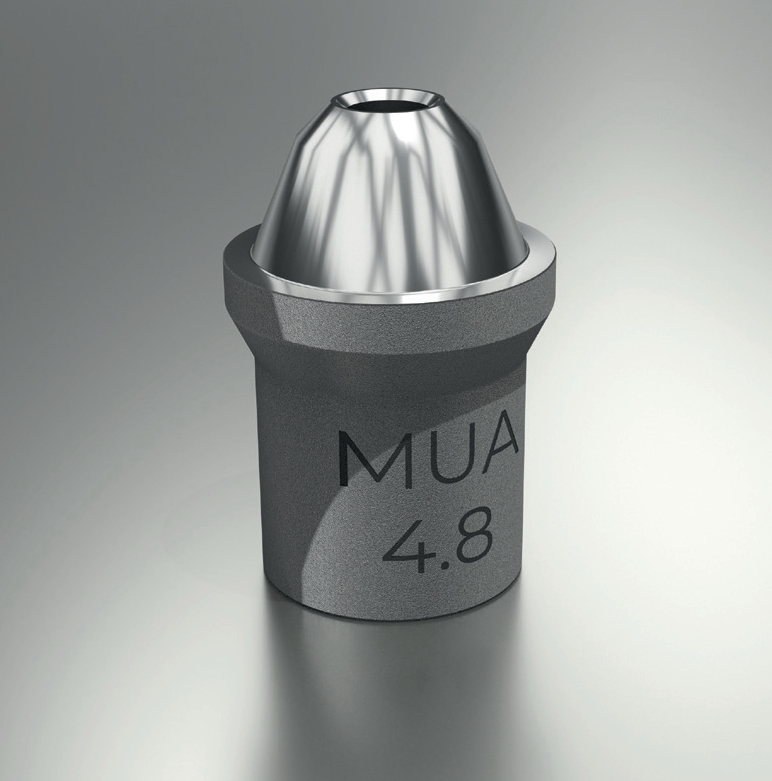
Data Set 3 captures additional information, particularly when a provisional or existing restoration is present. The scans can be combined into one archive and then processed in AssistLogiQ.
When using Reverse iQ, a provisional restoration, try-in or prototype, typically PMMA or printed resin, can be digitised extraorally and registered against the case reference data. This is a process of data alignment / correlation; the main 3/4 to 4/4 validation logic applies to Data Set 2 with Scan Flag iQ.
ScanLogiQ is a comprehensive ecosystem for quality control and validation of intraoral scans in full-arch implant restorations.
The output is not a direct metrological measurement of implant positions, but a validated digital model of the clinical situation that reflects the actual anatomy and prosthetic relationships.
Why not implant-level?
ScanLogiQ is designed for use at abutment level (Multi-Unit / SRA / Low Profile), not directly on implant fixtures.
An implant-level workflow would require platform-specific scan bodies for every implant connection, substantially limiting system universality and reference consistency.
The clinically validated workflow therefore uses a standardised abutment-level reference for designing the definitive full-arch restoration.
Who benefits
The same workflow, two perspectives. The clinic gains quality control before hand-off to the laboratory, while the laboratory receives a consistent Data Set ready for CAD design.
For the clinic
For the laboratory
Supported workflow
ScanLogiQ is intended to support a validated digital workflow at abutment level (Multi-Unit / SRA / Low Profile). The system helps assess the consistency and usability of intraoral scan data; it does not perform absolute metrological measurement.
The final quality of the restoration depends on correct execution of each step, the quality of the intraoral scan and adherence to the recommended workflow.
Note: ScanLogiQ is not a photogrammetry system; it is a tool for validating digital data from intraoral scanning within a full-arch workflow.
ScanLogiQ is designed for All-on-X and full-arch workflows on transepithelial / screw-retained abutments. Once the MUA is in place, downstream compatibility is determined not by the implant brand underneath, but by the coronal prosthetic interface of the abutment.
Important: MUA components that look similar do not necessarily have identical coronal geometry. IPD also confirms MUA solutions for Straumann Bone Level and Osstem TS III, and the 2026 catalogue links the new MUA AP to ScanLogiQ; however, before clinical use we verify the specific MUA reference and the corresponding ScanLogiQ platform.
ScanLogiQ does not determine implant positions directly at implant-connection level and is not intended for implant-level digital impressions.
The system does not provide absolute metrological measurement of implant positions. It works with intraoral scans and validates the clinical situation, including soft tissues and occlusion.
The quality of the result depends on the quality of the input intraoral scan. The system can detect inconsistent data, but it cannot compensate for fundamental scanning errors.
Smooth mucosa, mobile soft tissues and a long arch increase the risk of intraoral scanning errors. ScanLogiQ adds structure and validation.
Colour-coded validation helps identify inconsistent data before hand-off to the laboratory.
Helps preserve occlusion, aesthetics and soft-tissue relationships when transitioning to the definitive restoration.
A mobile solution without the need to invest in an external metrology device.
WHY · ScanLogiQ
In edentulous patients requiring implant-supported rehabilitation, intraoral scanning accuracy can be strongly affected by arch anatomy, a lack of reference features and soft-tissue interference.
ScanLogiQ provides a structured, validated approach that reduces error and supports a reliable digital impression for full-arch restorations.
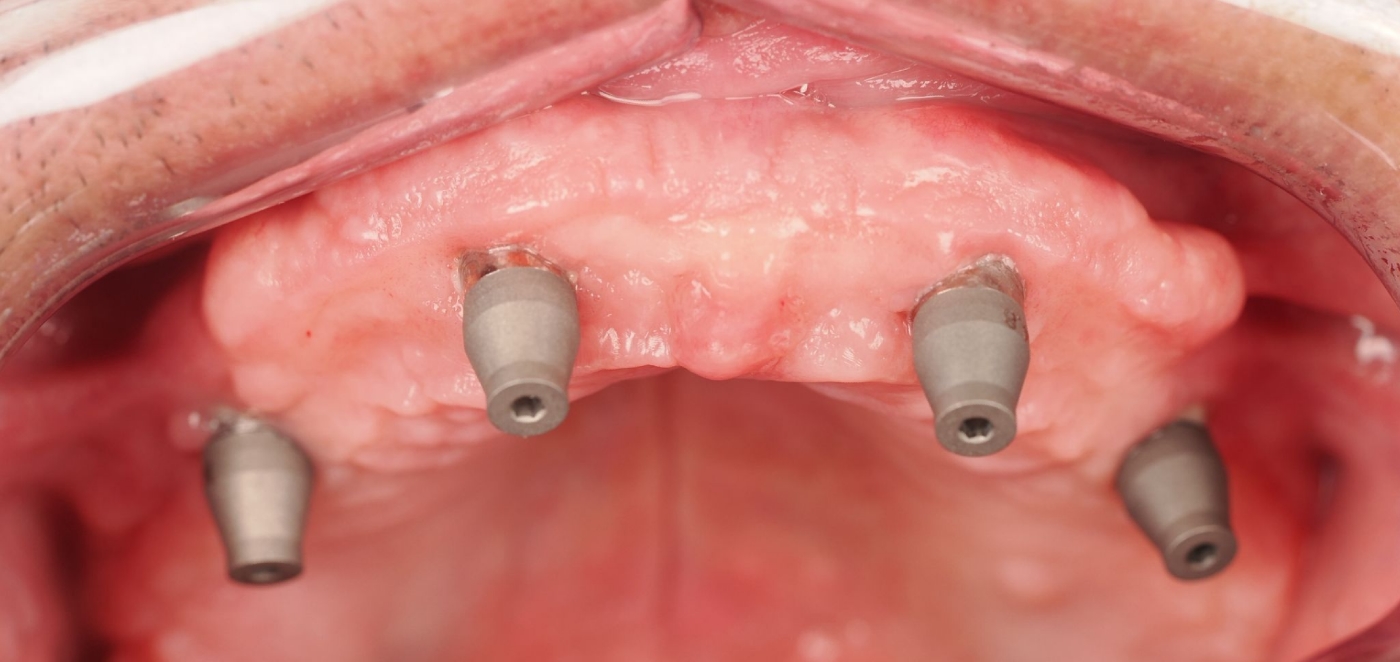
Digital full-arch scanning supported by the structured ScanLogiQ workflow.
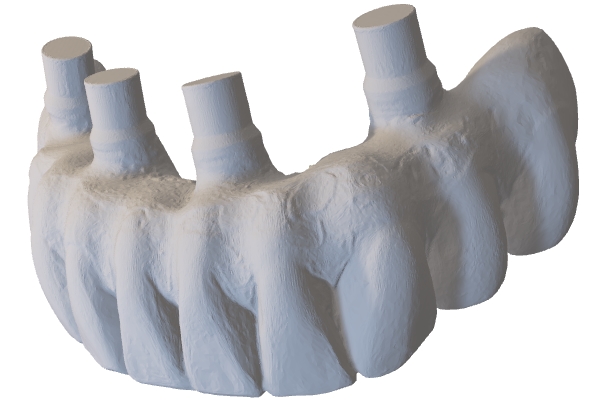
Algorithmic Data Set validation for full-arch indications (All-on-4 / All-on-6).
All-On-Four® / All-On-Six® · Challenges
Without the right strategy, inaccuracies can arise and affect passive fit of the restoration as well as the long-term treatment outcome.
ECOSYSTEM · components + validation
ScanLogiQ combines specialised scan bodies, Data Set validation in AssistLogiQ and a structured acquisition protocol to make the intraoral full-arch workflow as consistent and repeatable as possible.
Kit: scan bodies and accessories
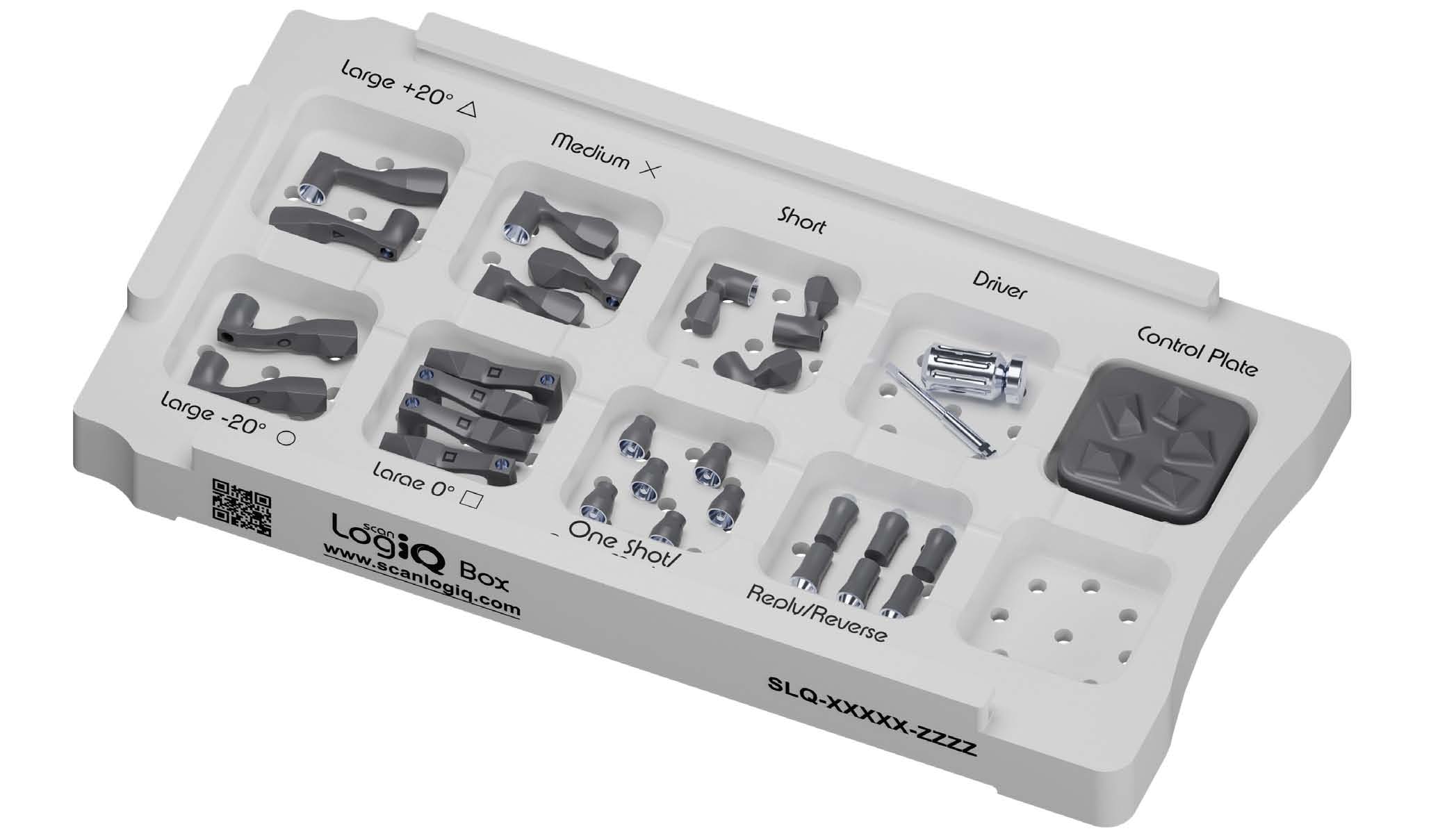
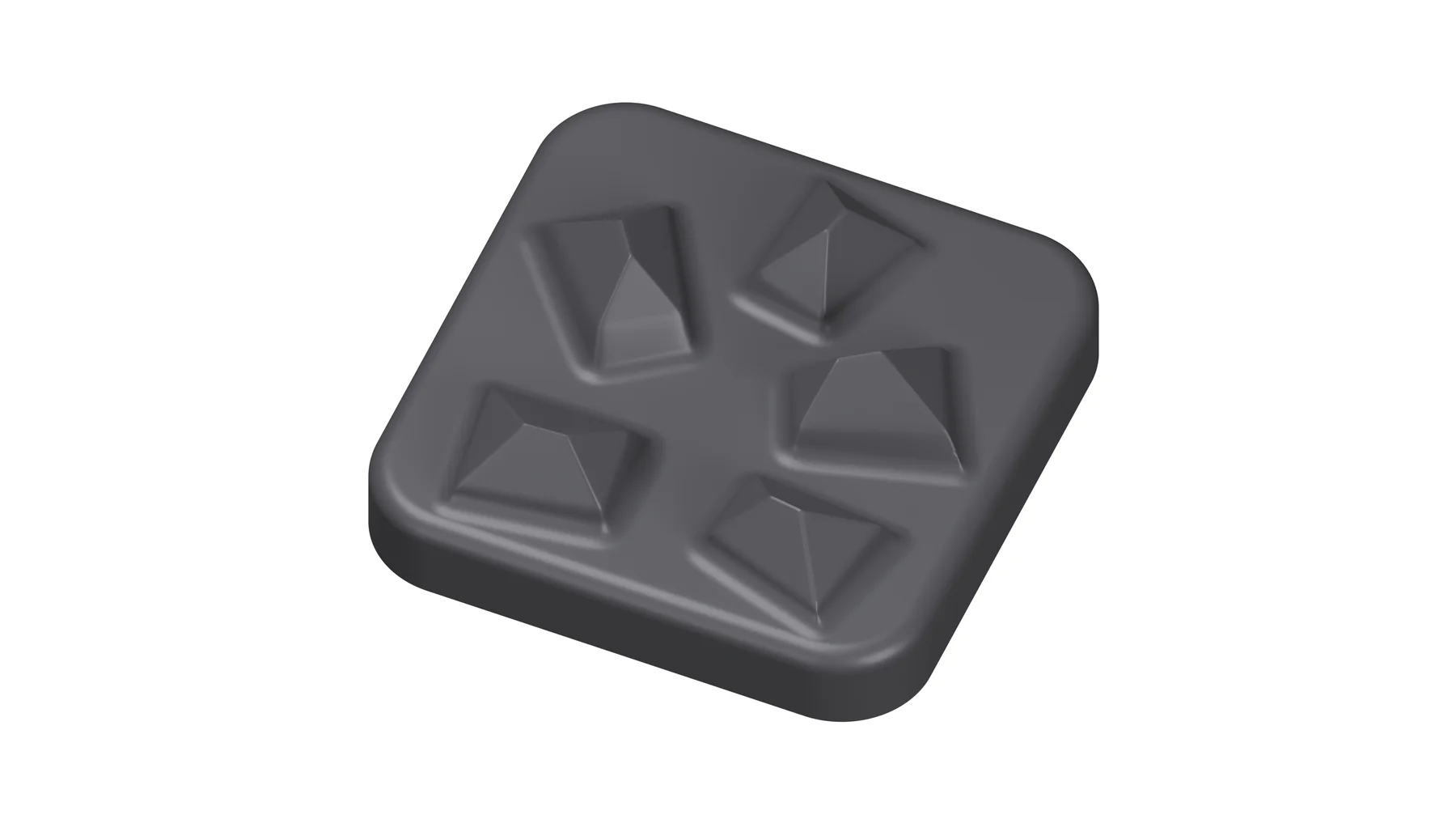
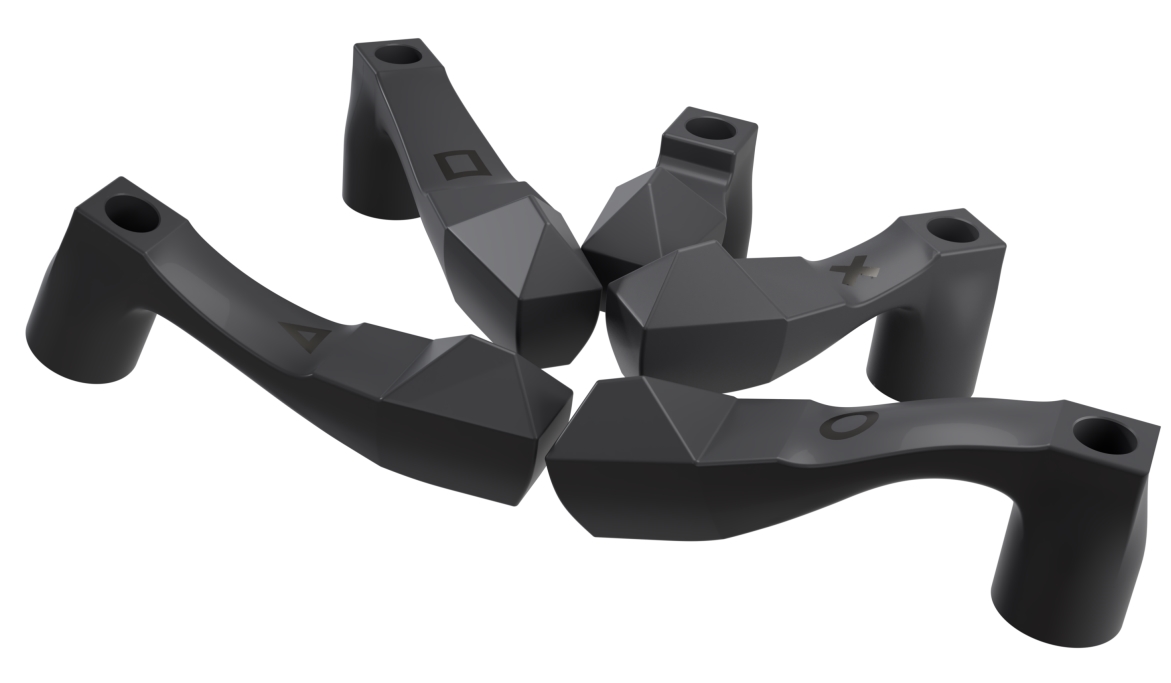
The system includes five different Scan Flag iQ configurations, designed to facilitate acquisition even in cases with distally angulated implants through specialised geometries.
All-on-X indication
Supports situations with distally inclined implants.
Specialised geometries
A more stable “Scan Region” and consistent capture.
ScanLogiQ Kit
Components and configurations for full-arch intraoral scanning.
Data Sets
Structured steps (Data Set 1–3/4) for consistency and validation.
AssistLogiQ
Data Set validation, inconsistency detection and recommended corrections before hand-off to the laboratory.
A straightforward solution for complex clinical cases.
Components
Overview of the key components for the full-arch intraoral workflow and data validation.
The system includes five Scan Flag iQ configurations designed for scanning distally positioned implants with pronounced angulation, enabled by two specialised shapes.
The system's central file-management software. It helps select the optimal scan-body geometry, validates scan quality, detects potential problems and proposes corrective steps. It generates fully compatible files ready for the digital workflow.
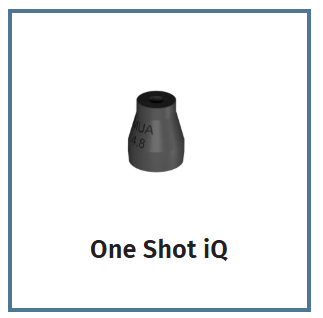
A scan body specifically designed for full-arch and multi-implant restorations. Its optimised geometry and compact dimensions simplify every stage of intraoral scanning.
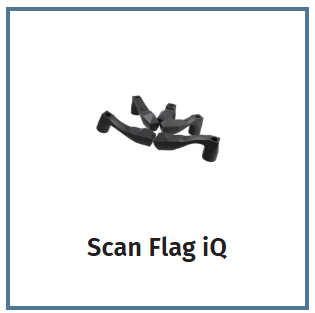
The core of the system. Designed to focus scanning on a reduced area away from the main sources of interference. Five different shapes allow adaptation to a wide range of clinical situations.
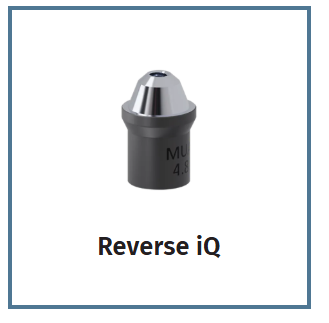
A component for full-arch and multi-implant restorations supporting both digital and analogue workflows. It enables accurate transfer of implant positions from provisionals, try-ins or impressions.
Next step
We can help you select the appropriate workflow and explain compatibility limitations, including Multi-Unit platforms and IOS data quality.
Software
Guides the selection of the optimal geometry, checks scan quality and helps identify potential errors before hand-off to the laboratory.
AssistLogiQ helps determine whether the data are sufficiently consistent for manufacturing and reduces the risk of “silent errors” in long full-arch scans.
FAQ
Clear definition of capabilities, limitations and indications for clinics and laboratories.
No. ScanLogiQ is not a metrology instrument and it is not photogrammetry. It works with intraoral scans (IOS) and uses statistical comparison across multiple Data Sets to validate the consistency of digital data before manufacturing.
In practical terms, the system does not “correct” errors; it identifies inconsistent scans and guides the user towards repeating or correcting the scan to reduce the risk of silent errors in full-arch cases.
ScanLogiQ is designed for workflows using intraoral scans without being tied to a specific scanner brand. The key requirements are input-data quality and adherence to the recommended procedure.
Important:
Output quality directly depends on mesh quality, including the correct scanning strategy, moisture control, soft-tissue stability and operator technique.
No. ScanLogiQ is intended exclusively for full-arch workflows on Multi-Unit abutments (screw-retained abutment systems). Implant-level workflows are not the target indication.
For zygomatic cases, the system can be used only when the restoration is managed through compatible Multi-Unit abutments.
ScanLogiQ is currently described by the manufacturer for All-on-X / full-arch abutment-level workflow. The primary supported coronal platforms are:
What determines compatibility?
Once a screw-retained abutment has been placed, downstream prosthetic compatibility is determined by the coronal MUA interface, not by the implant connection underneath. Compatibility therefore cannot be determined from the implant name alone. Implant-level workflow is not a target indication.
Yes. The workflow is designed to generate outputs that can be used in mainstream digital processing and continue into standard CAD/CAM workflows.
The key benefit is that CAD receives not an “unchecked” full-arch scan, but a Data Set that has passed consistency validation within the workflow.
It matters greatly. Output quality depends on input-scan quality: “Good scanner → good mesh.”
ScanLogiQ can detect inconsistent data and help prevent a poor scan from being sent to the laboratory, but it cannot overcome the physical limits of IOS or incorrect scanning technique.
AssistLogiQ evaluates consistency statistically across the Data Sets. More validated scans increase confidence in the result because the system has more independent observations for averaging and drift detection.
The protocol acquires 4 scans. For a reliable result, at least 3 out of 4 must be green. Four out of four represent the highest level of accuracy and reliability within this workflow.
AssistLogiQ does not technically block continuation, but a reliable result requires at least 3 validated (green) scans out of 4.
ScanLogiQ is presented by the manufacturer primarily for All-on-X / full-arch restorations. The downstream IPD workflow includes both MUA-level solutions and workflows on IPD abutments:
On Ti-bases / abutments
Direct-to-MUA (Zr / PMMA)
Provisional workflow
Reverse iQ is a scan marker intended for extraoral registration of a provisional restoration / existing suprastructure within the Reverse workflow.
The phrase “works with any scanned structure” refers to the geometry of the marker and the scanned suprastructure, not to bypassing platform compatibility or determining implant positions from an arbitrary bridge.
Key limitation:
The Reverse workflow still requires a reference Data Set 1 on supported Multi-Unit abutments. A scan of the suprastructure alone, without this reference Data Set, is not intended for determining implant positions with metrological accuracy.
ScanLogiQ is designed as a real-time validated IOS workflow for Multi-Unit full-arch cases. In many clinics it can serve as a practical alternative without the need for additional hardware.
This is a It uses a different technological principle: ScanLogiQ validates repeated IOS Data Sets and is not a photogrammetric measuring device. IPD currently references external in-vitro studies reporting results comparable with photogrammetry / videogrammetry; however, the clinical indication must always be assessed for the specific case and workflow.
At present, we do not publicly publish a complete technical white paper containing all metrological metrics. Validation materials are being prepared.
For specific B2B decisions, we can provide the available information as part of a consultation on the indication and the individual case.
Data Set 4 closes the workflow by exporting validated outcome files. The ScanLogiQ result contains aligned meshes / an SLiQ alignment mesh linked to the corresponding IPD CAD files. The laboratory then selects the required prosthetic restoration within the supported CAD/CAM workflow.
Yes. Supported IPD restorative options include workflows on IPD Ti-bases with either a straight screw channel or ASC. The validated SLiQ alignment mesh is used in the corresponding CAD library; subsequent manufacturing and bonding of the zirconia restoration follow the relevant component IFU and bonding-system instructions.
Scan Flag iQ is the core of Data Set 2, and its four scans pass through the AssistLogiQ validation logic. Reverse iQ belongs to optional Data Set 3 and registers information from a provisional restoration, prototype, try-in or impression; it should not be confused with a second 3/4 validation of MUA position.
Compatibility is governed by the coronal prosthetic interface of the abutment, not the implant connection underneath. IPD confirms MUA solutions for Straumann Bone Level and Osstem TS III, and the 2026 catalogue links the new MUA AP to ScanLogiQ.
The available documentation does not, however, support a universal statement that “every IPD MUA reference works without exception”. We therefore verify the specific Classic/AP reference and the corresponding ScanLogiQ kit before use.
Not as a standard ScanLogiQ workflow. The manufacturer describes ScanLogiQ as an All-on-X / full-arch solution. This must be distinguished from the indication of the Multi-Unit abutment itself.
For conventional straight IPD Multi-Unit abutments, IPD states that they may be used for single and multiple-unit restorations. That fact alone does not extend ScanLogiQ to routine single-unit workflows.
The production login page is assistlogiq.com. The portal provides username-and-password login, password recovery and a “New Customer” option.
URL with parameter msg=Sessione%20Scaduta only indicates that the session has expired. Use the root address for a new login. Activation of clinical, distributor or demo accounts is confirmed by IPD.
B2B positioning
ScanLogiQ provides a real-time validated intraoral workflow for full-arch restorations on Multi-Unit abutments.
The purpose of the system is not to measure implant positions, but to confirm that the digital model is consistent with the clinical situation and suitable for manufacturing the definitive restoration.
New interactive guide
This practical page connects clinical steps, data verification, ScanLogiQ/AssistLogiQ and passive-fit verification in extensive implant cases.

I am a healthcare professional within the meaning of Section 2a of Czech Act No. 40/1995 Coll., on the Regulation of Advertising. I confirm that I am authorised to access pages intended for healthcare professionals.
ScanLogiQ
Indication consultation · workflow · demo