
Exclusive IPD distributor for the Czech and Slovak RepublicsOriginal components · CAD/CAM libraries · technical support+420 604 483 343obchod@exklusiv-dent.cz
The IPD accuracy trio

Ti-base, Scan Body and digital analog. One precise chain.

From platform through library to Ti-baseIPD Solutions Map · clinic ↔ laboratory

The scan body captures implant position, the CAD library safely transfers it into the design, the Ti-base connects the digital restoration to the implant, and the digital analog can return that position to an accurate 3D model when required.
Intraoral and laboratory scanning TECH and LITE libraries Working model with analog or model-free workflow
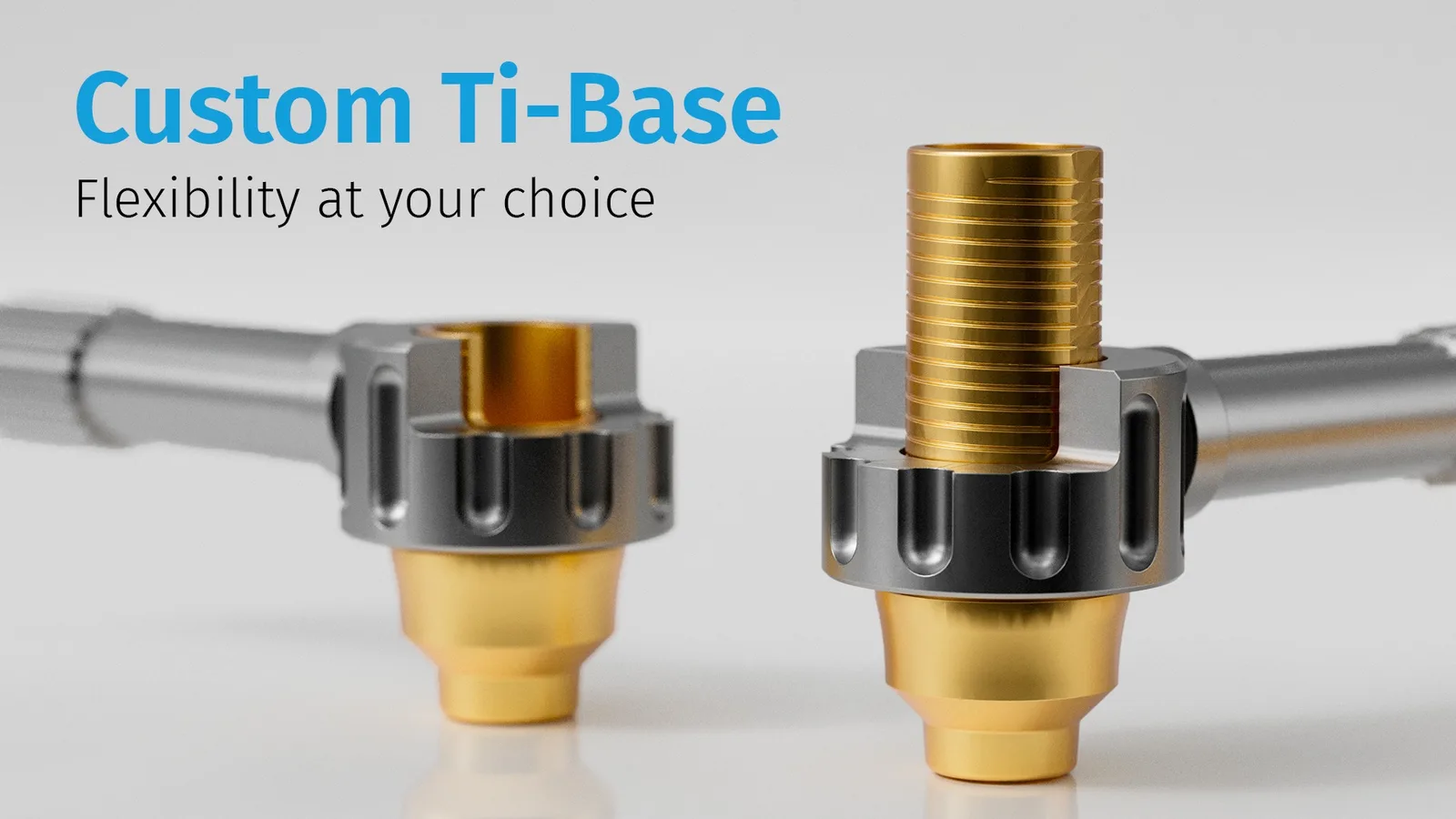
IPD Custom Ti-Base with cutting guide and fixation screws
02 Custom Ti‑Base
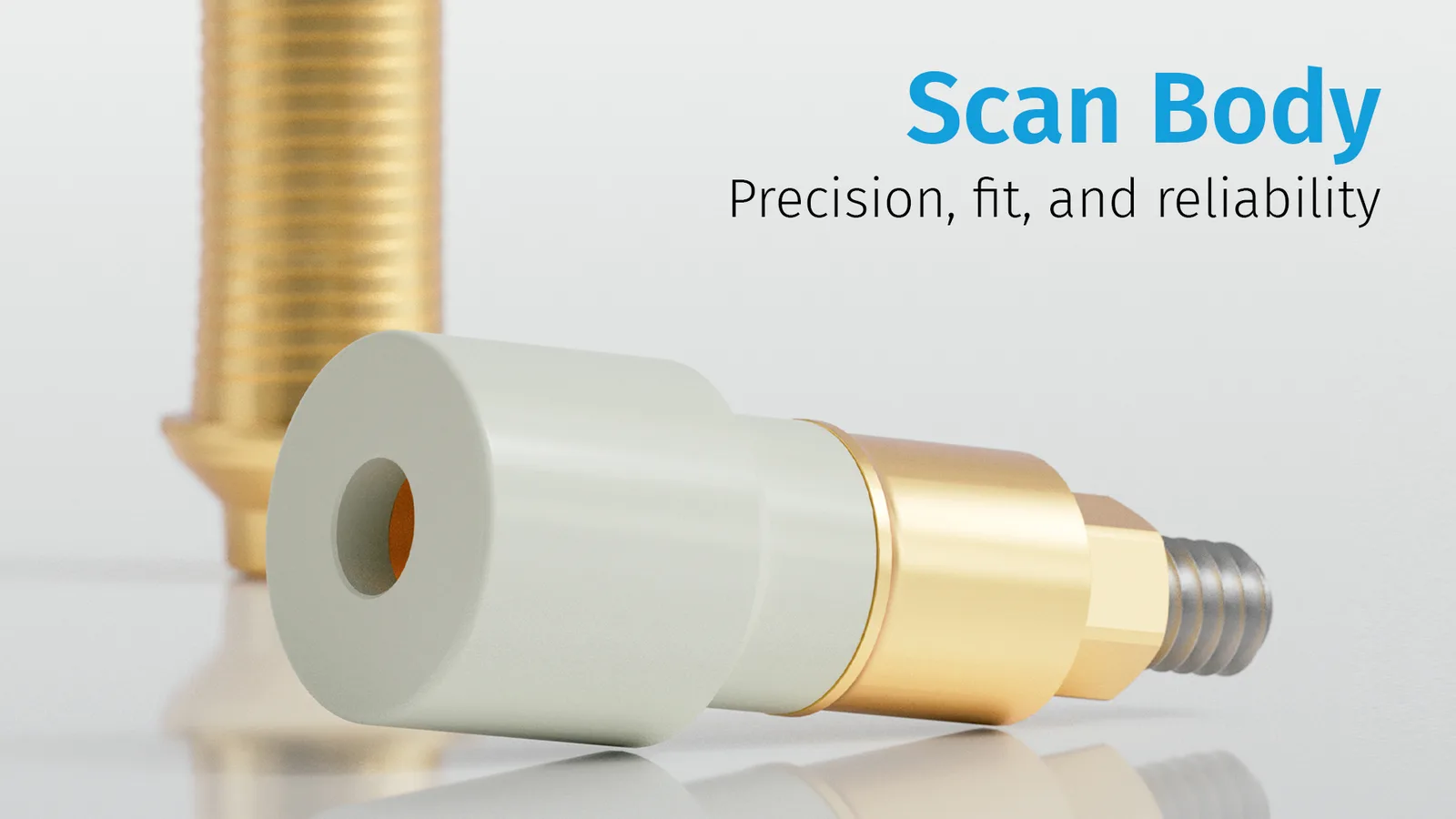
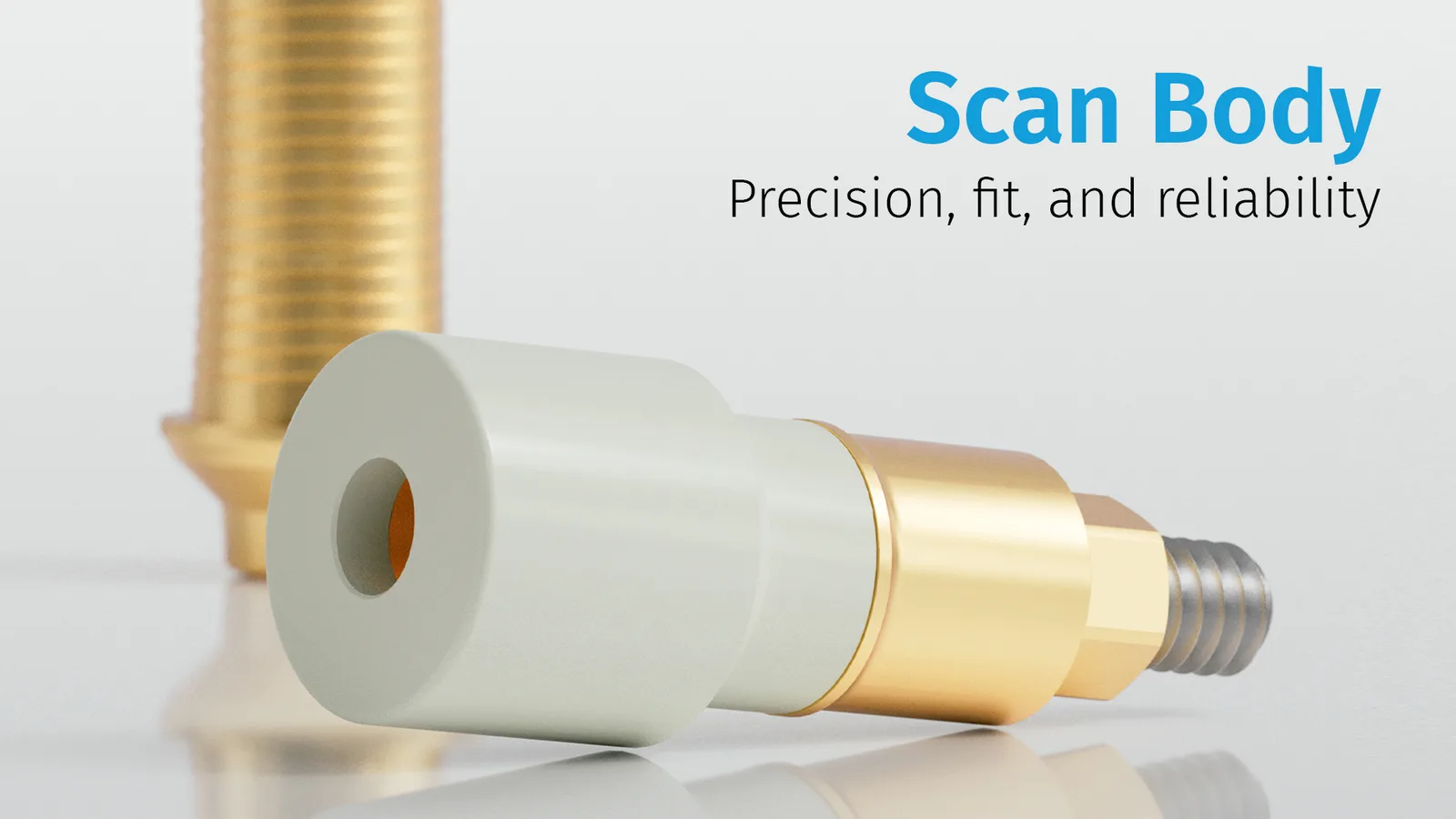
IPD scan body in the digital workflow
01 Scan Body
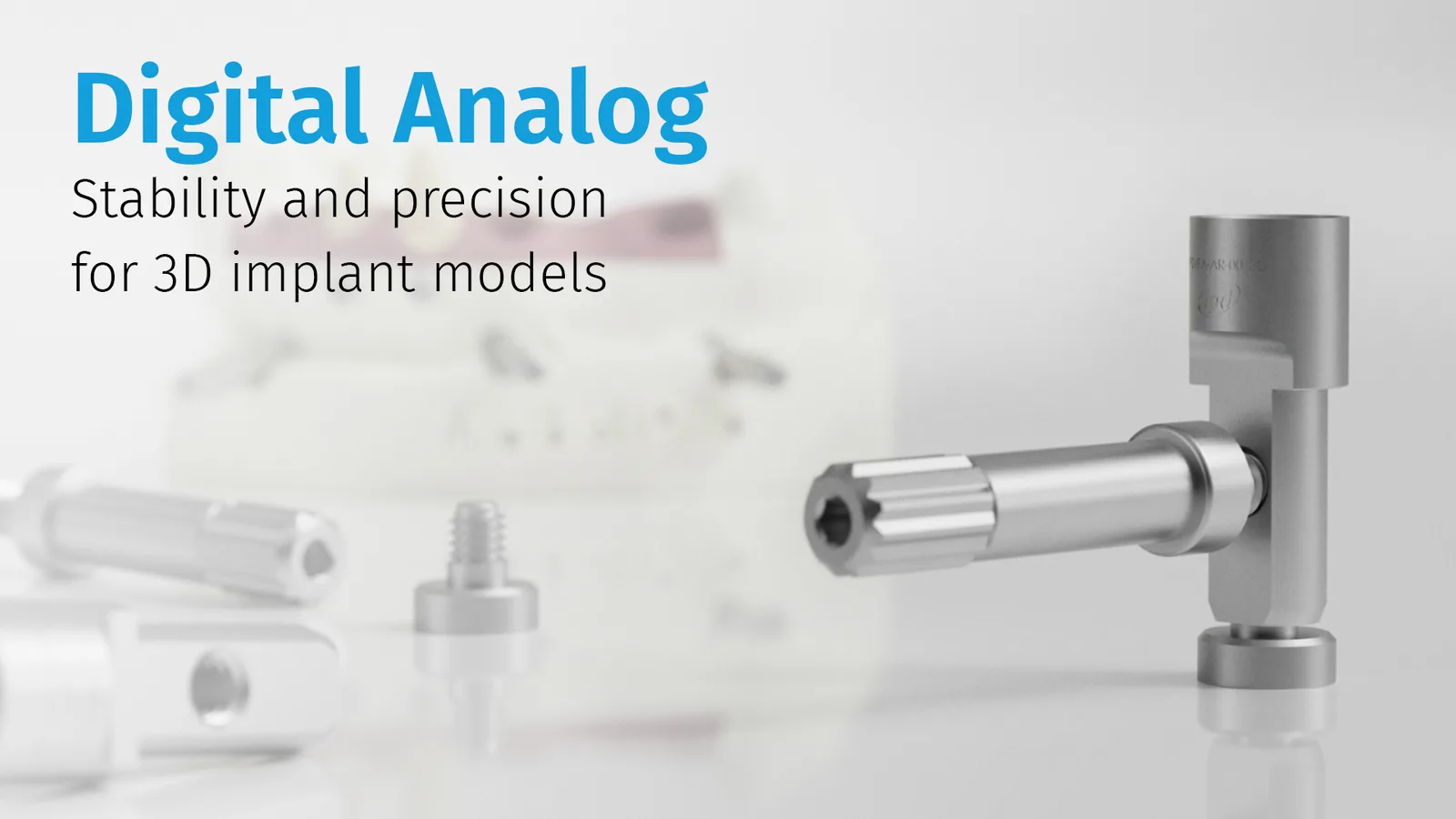
IPD digital analog for a 3D-printed model
03 Digital analog

Three components, one coordinate system

Each element passes forward the same implant-position information

Accuracy is not created only during milling. It begins at the scan and must continue uninterrupted through the library, design, Ti-base and, where used, the 3D-printed model.

IPD Scan Body – accuracy, seating and reliability
01 · Position capture

IPD Scan Body

Scan-body geometry allows CAD software to determine the spatial position and orientation of the implant in both intraoral and desktop scans.

What matters during scanning
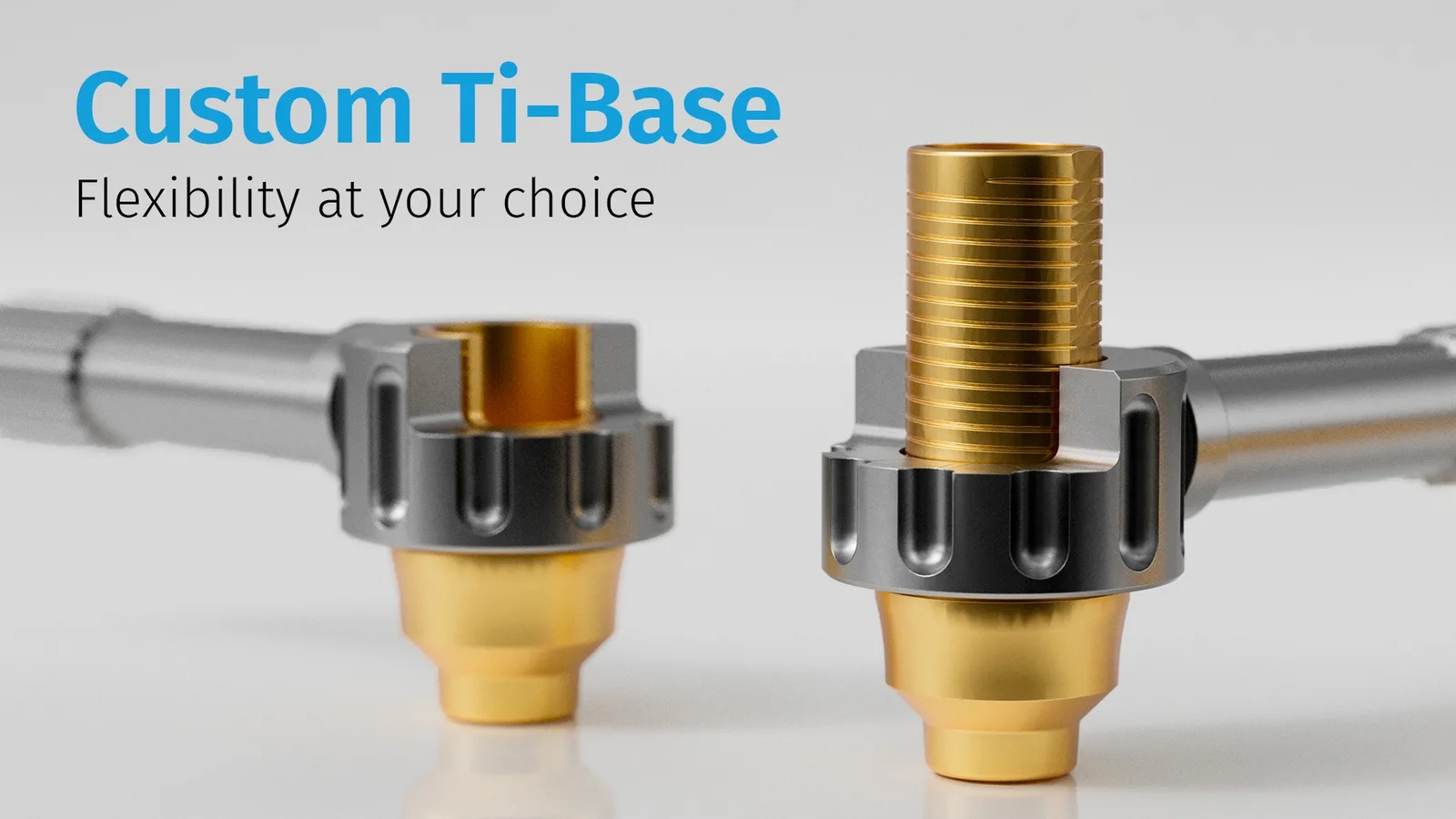
IPD Custom Ti-Base – flexible CAD/CAM titanium base
02 · Physical interface

Custom or CEREC Ti-Base

The titanium base creates the precise interface between the implant and a custom-designed crown or bridge. The selected reference defines the platform, gingival height and screw.

Choose the correct Ti-base
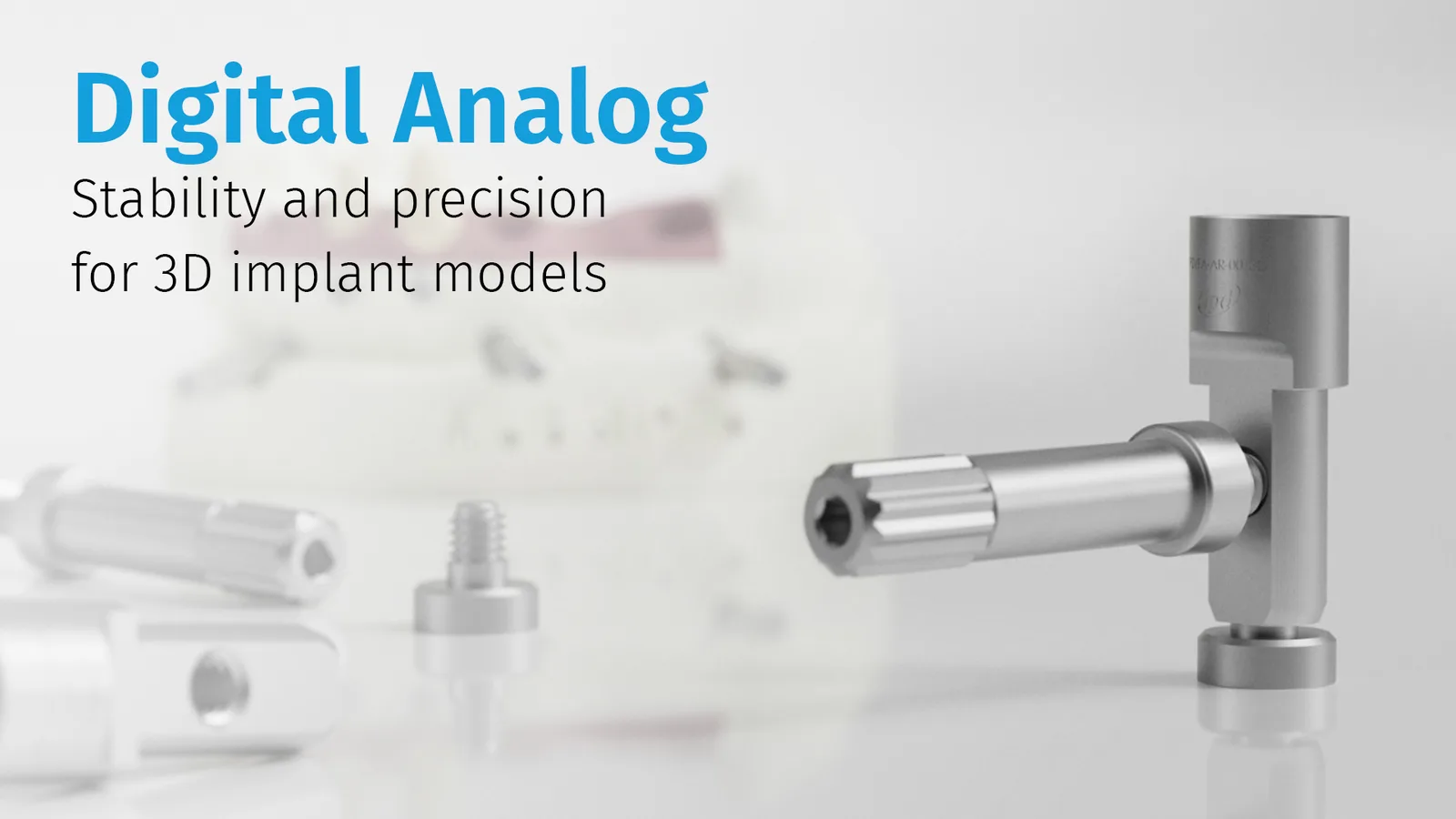
IPD digital analog – stability and accuracy for implant 3D models
03 · Transfer to the model

IPD digital analog

If the workflow requires a physical model, the analog reproduces the implant position in the 3D print. Dual fixation helps maintain precise seating.

When is an analog required?

From scan to finished restoration

The digital workflow in four connected steps

These are not three isolated products. They form one precise data flow in which every reference must match the selected implant platform and library.

Step 1

Scanning

The Scan Body is seated on the implant or abutment and the scanner captures its recognisable geometry.

Step 2

CAD library

Best-fit matching aligns the scanned geometry with the library object and transfers the precise axis and indexing into the design.

Step 3

Design on a Ti-base

The restoration is designed for a specific Ti-base, including its height, retention geometry and straight or supported angulated screw channel.

Step 4

Model and verification

When a physical model is required, the digital analog is inserted into the prepared receptacle and secured according to the selected system.

A digital analog is not mandatory in every case. It is required when producing an implant 3D model. In a fully model-free workflow, the physical chain ends with the Ti-base and final restoration.
When every part speaks the same geometric language, the workflow stops being a puzzle and starts working as a system. For a moment, the world is in perfect order.
IPD Custom Ti-Base with cutting guide
The Ti-base is the physical anchor point of the design. It must therefore match the CAD library, implant platform and fixation screw used.

The core of the prosthetic restoration

IPD CAD/CAM Ti-bases: flexibility where the design actually needs it

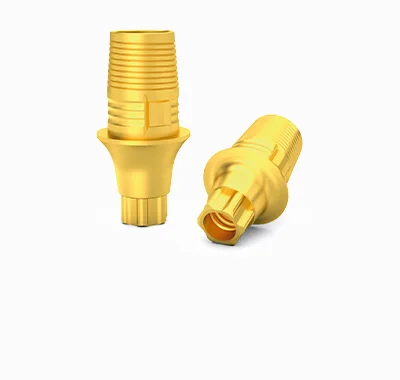
The IPD Custom Ti-Base combines asymmetric three-lobe geometry, a retentive surface and multiple height options. Selected references can also be used with cutting and finishing guides that help transfer the planned CAD height to the physical base.
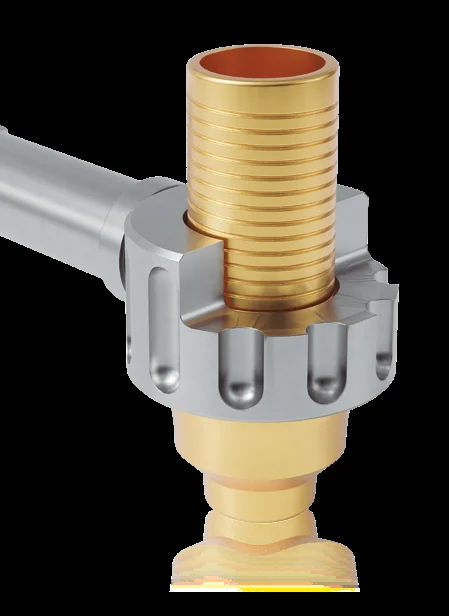
Asymmetric three-lobe orientationSupports unambiguous engagement and stable orientation of the restoration on the base.
Heights and gingival profiles by referenceSelection depends on the soft tissues, available restorative space and specific implant compatibility.
TiN variants with a gold toneThese may offer aesthetic advantages. Surface availability must be verified for the specific reference.
The correct screw and torque are part of the selectionOrder the Ti-base together with the corresponding screw and use the torque specified for that system.
Custom Ti-base IPD

Custom Ti‑Base

For IPD library workflows, custom restorations and selection across multiple platforms and heights.
CEREC Ti-base IPD

CEREC Ti‑Base

A dedicated range for CEREC/inLab workflows. The reference is selected using the library and block cross-reference table.

IPD scan body for digital impressions
A Scan Body is not simply a “marker” in an image. It is a precisely defined object that the CAD library must recognise correctly.

The first position transfer

Scan Body: accuracy, seating and readable geometry

IPD scan bodies are intended for intraoral and laboratory scanners. Their geometry supports capture of the implant's spatial position and subsequent best-fit matching in the corresponding CAD library.

Intraoral and desktop systemsOne product family can integrate with different scanning technologies, depending on the available library.
Rotational and anti-rotational variantsSelection relates to the restoration type, for example a single crown or a multi-unit restoration.
Best-fit matching must correspond to the exact scan bodyUsing the wrong library or confusing scan-body references can transfer an error through the entire downstream workflow.
Before scanning, verify complete seating, cleanliness of the scanning surface, the correct fixation screw and recommended tightening. If in doubt, the fastest route is to check the reference against the library.
IPD digital analog for an implant 3D model
Two fixation options help stabilise the analog in the model and adapt installation to the specific laboratory workflow.

Accurate position in the 3D model

Digital analog: when the virtual implant must return to the physical world

The IPD digital analog is designed for implant 3D-printed models. Its two fixation screws support precise positioning in the prepared receptacle. Lateral fixation also allows use with an articulator without disturbing the bite registration.

Dual fixationBottom or lateral access allows the fixation method to be selected according to model design and laboratory workflow.
Working with an articulatorThe lateral screw is designed to remain accessible when articulation of the model limits access from below.
Validation MasterA master STL and test analog allow printer resolution and seating parameters to be verified before routine use.

Digital connective tissue

The CAD library connects the scan, Ti-base and digital analog

IPD offers two library levels. TECH gives experienced users broader control over parameters; LITE simplifies navigation and implementation in everyday workflows.

IPD TECH

Maximum control
  • High-resolution STL files and libraries organised by restoration type.
  • Validated ASC options and two cement-gap variants.
  • Advanced control of scanning and digital-analog tolerances.
  • Suitable for laboratories that want detailed control over manufacturing parameters.

IPD LITE

Fast implementation
  • Standard-resolution STL files and optimised default parameters.
  • Libraries grouped by implant system for easier navigation.
  • Support for 3D analogs and selected scan-body replacement workflows.
  • A practical choice for streamlined everyday operation.
Exocad3ShapeDental WingsChairside workflowExoplan
The most important factor is not the library name but consistency across the complete chain. When selecting a workflow, verify the implant system, platform, Scan Body, Ti-base type, digital analog, CAD software and software version.

Components in motion

Three short views of one connected system

Videos load only when played, so they do not burden the initial page load.

Scan Body

Recognisable geometry for accurate digital impressions and CAD matching.

Custom Ti‑Base

Retentive geometry, cutting guide and the physical foundation of the custom restoration.

Digital analog

Fixation and accurate transfer of the virtual position into an implant 3D model.

Practical questions

What to verify before ordering the complete set

Do the Scan Body, Ti-base and digital analog need to belong to the same compatibility family?

Yes. All components and the CAD library must match the same implant platform and specific workflow. Similar appearance or the same manufacturer is not enough.

Is a digital analog required for every restoration on a Ti-base?

No. It is required only when you want to create a physical 3D-printed model with an implant analog. It is not used in a model-free workflow.

What is the difference between rotational and anti-rotational variants?

Anti-rotational geometry is typically used for single restorations where unambiguous orientation is required. Rotational variants are used for indications in which the restoration connects multiple implants. The specific choice is determined by the library and design.

Can a Custom Ti-Base be shortened?

For selected references, yes, but only within the range and by the method specified by the manufacturer. Matching cutting and finishing guides are used to protect the retention geometry and seating surface.

Which library should I choose: TECH or LITE?

TECH is suitable for users who need detailed control over tolerances, gaps and restoration type. LITE simplifies installation and navigation. The CAD software, its version and selected Scan Body also influence the choice.

Send us the implant system and software you use

We will help assemble a compatible chain: Scan Body, Ti-base, fixation screw, digital analog and the correct CAD library.

Technical information is based on IPD product documentation for the Custom Ti-Base, Scan Body, digital analog and CAD libraries. Always verify availability, dimensions, recommended torque and compatibility against the current reference and instructions for use.

e-dent logo

I am a dental professional within the meaning of Section 2a of Czech Act No. 40/1995 Coll., on advertising regulation. I confirm that I am authorised to access content intended for professionals.